
Self-host Flame
v2.4.0Self-hosted startpage with built-in editors for apps
- Stars
- 6 667
- Port
- 5005 (HTTP web interface)
pawelmalak/flame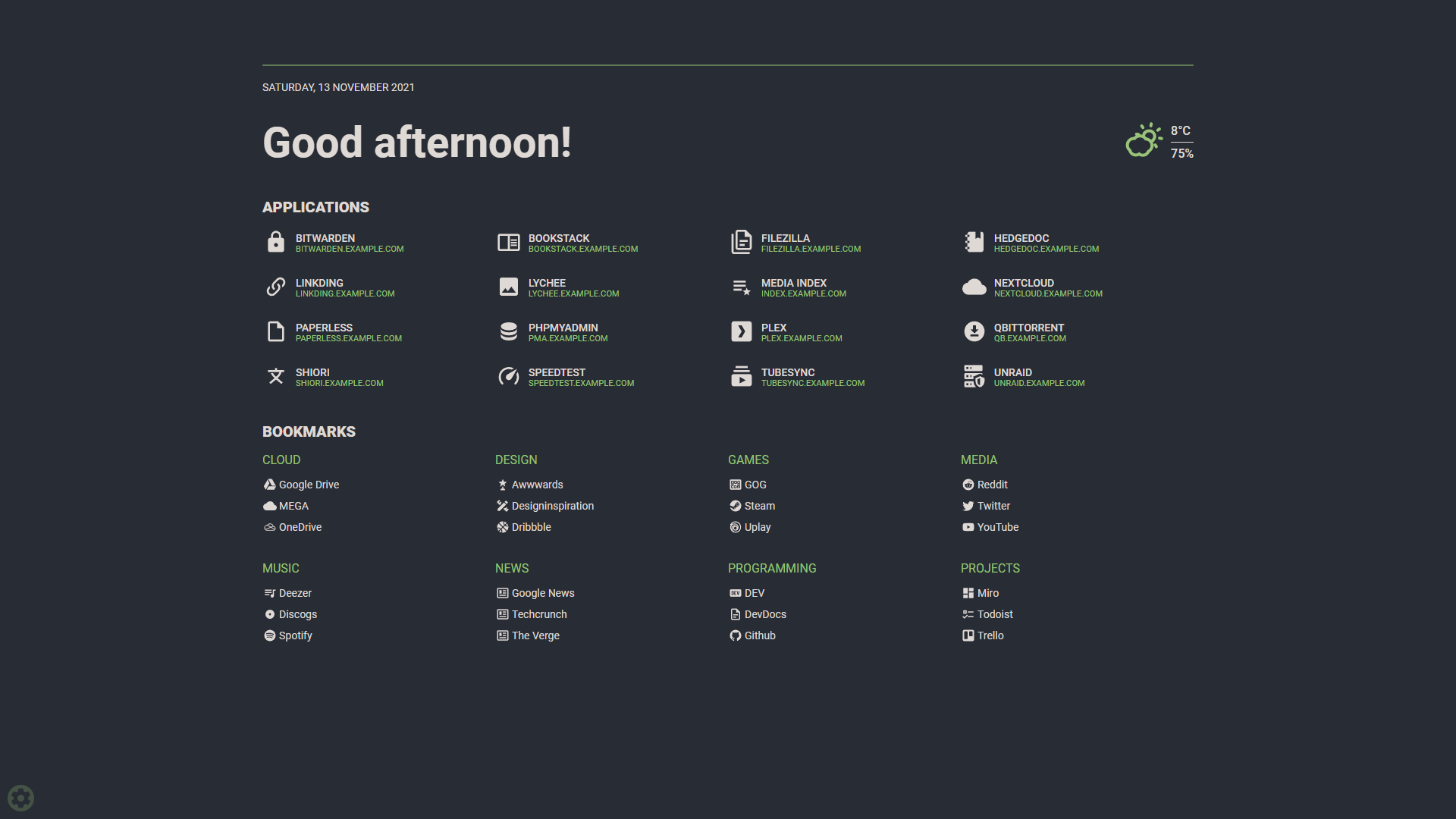
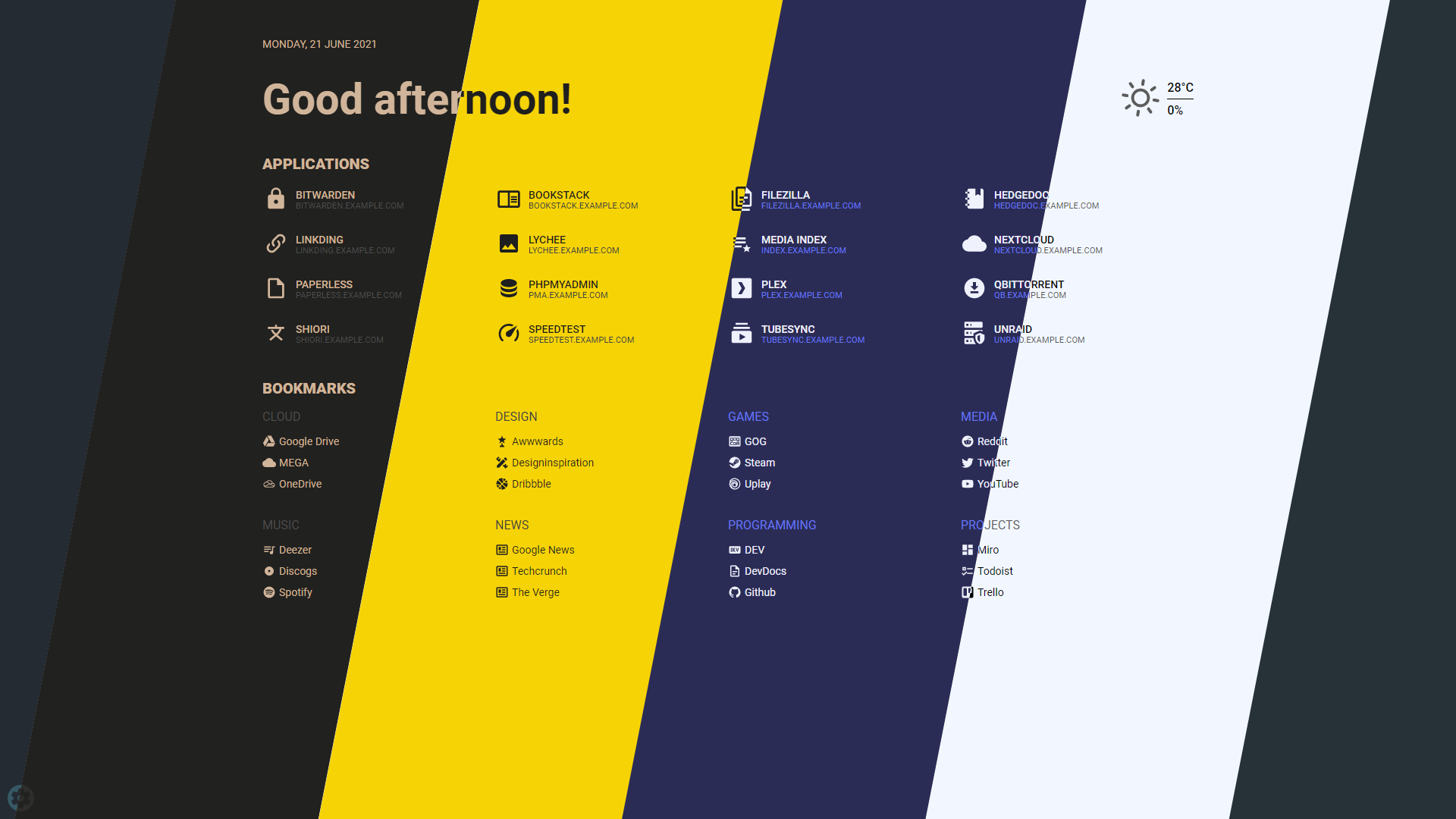
What is Flame?
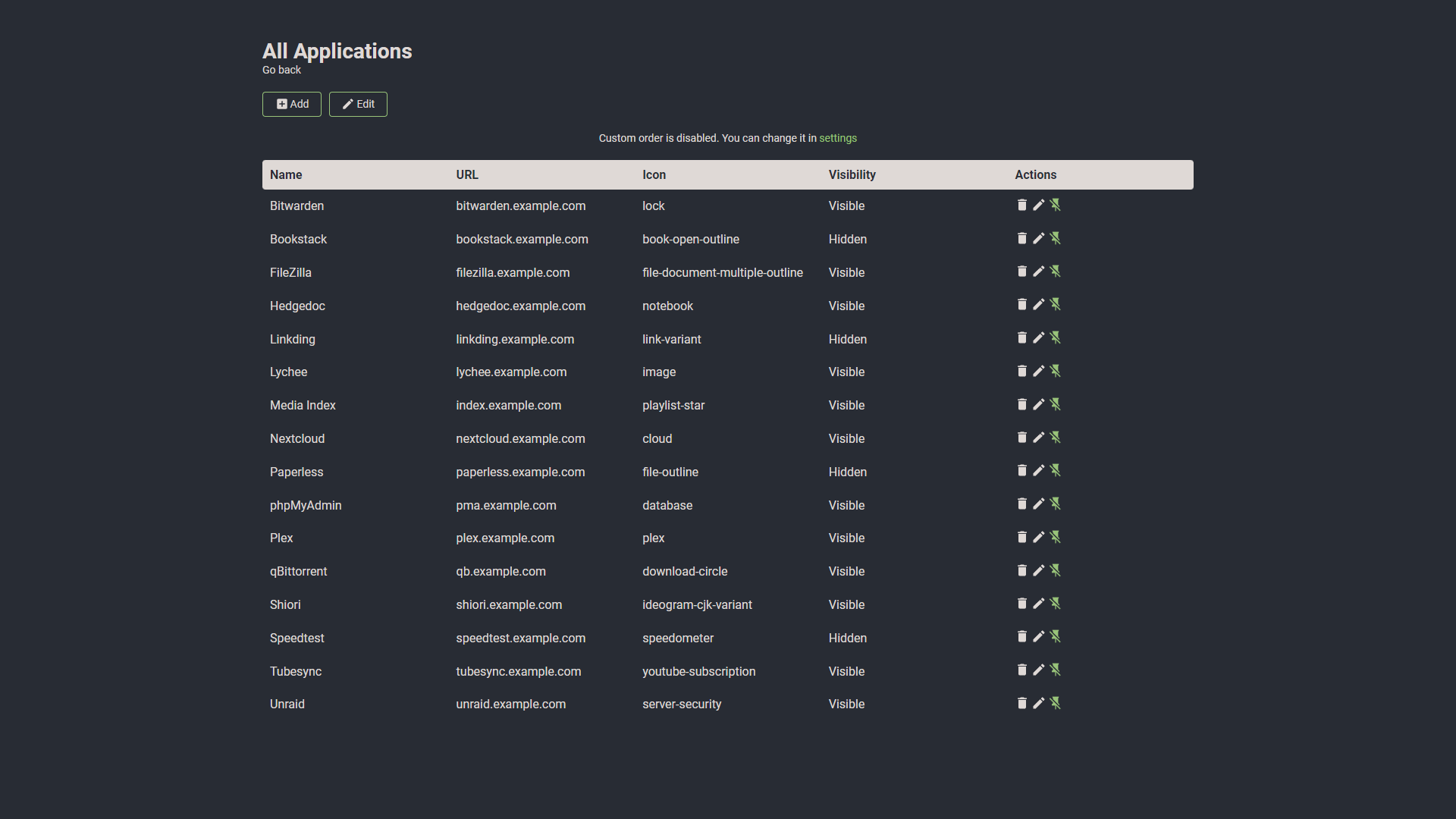
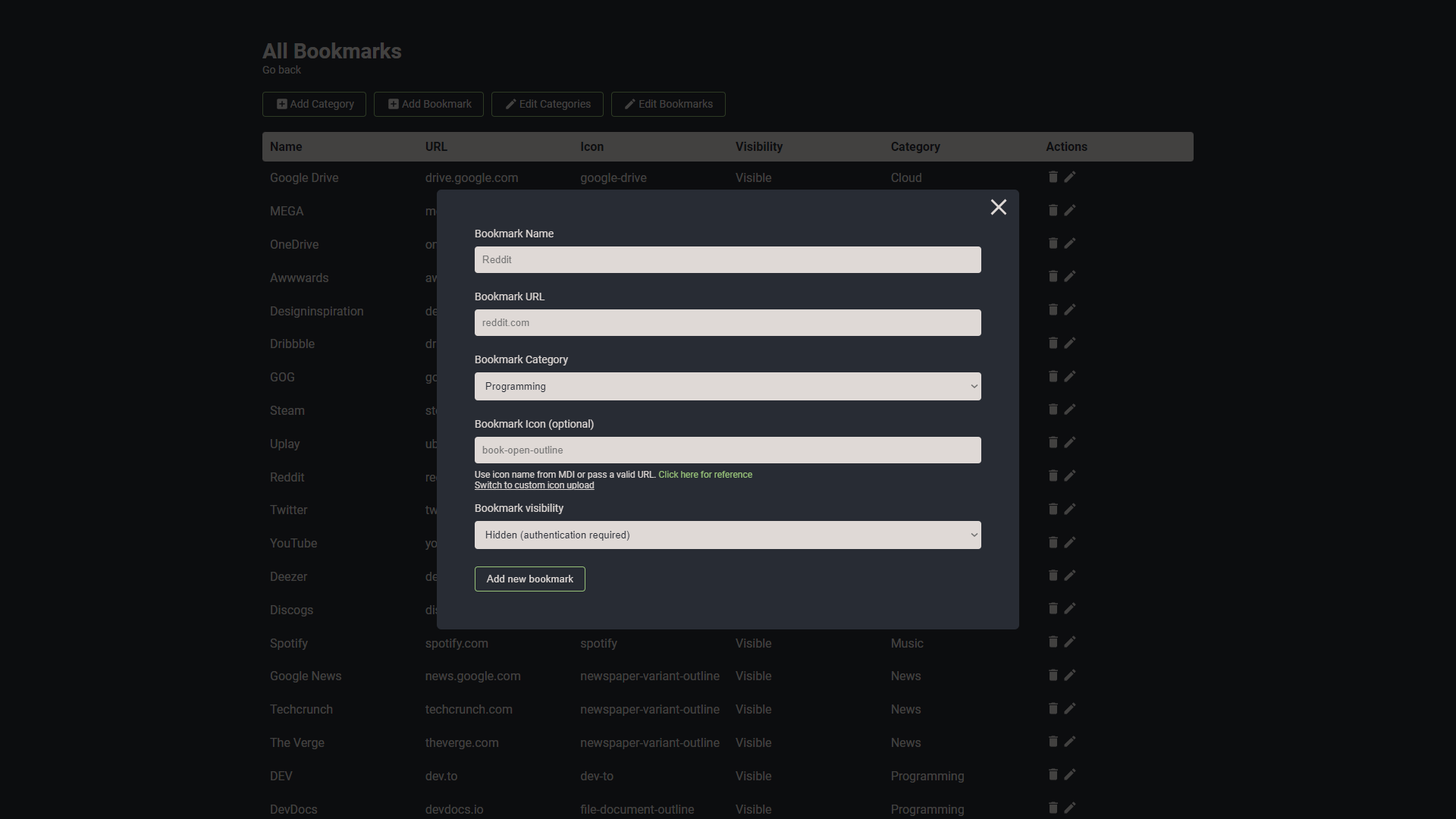
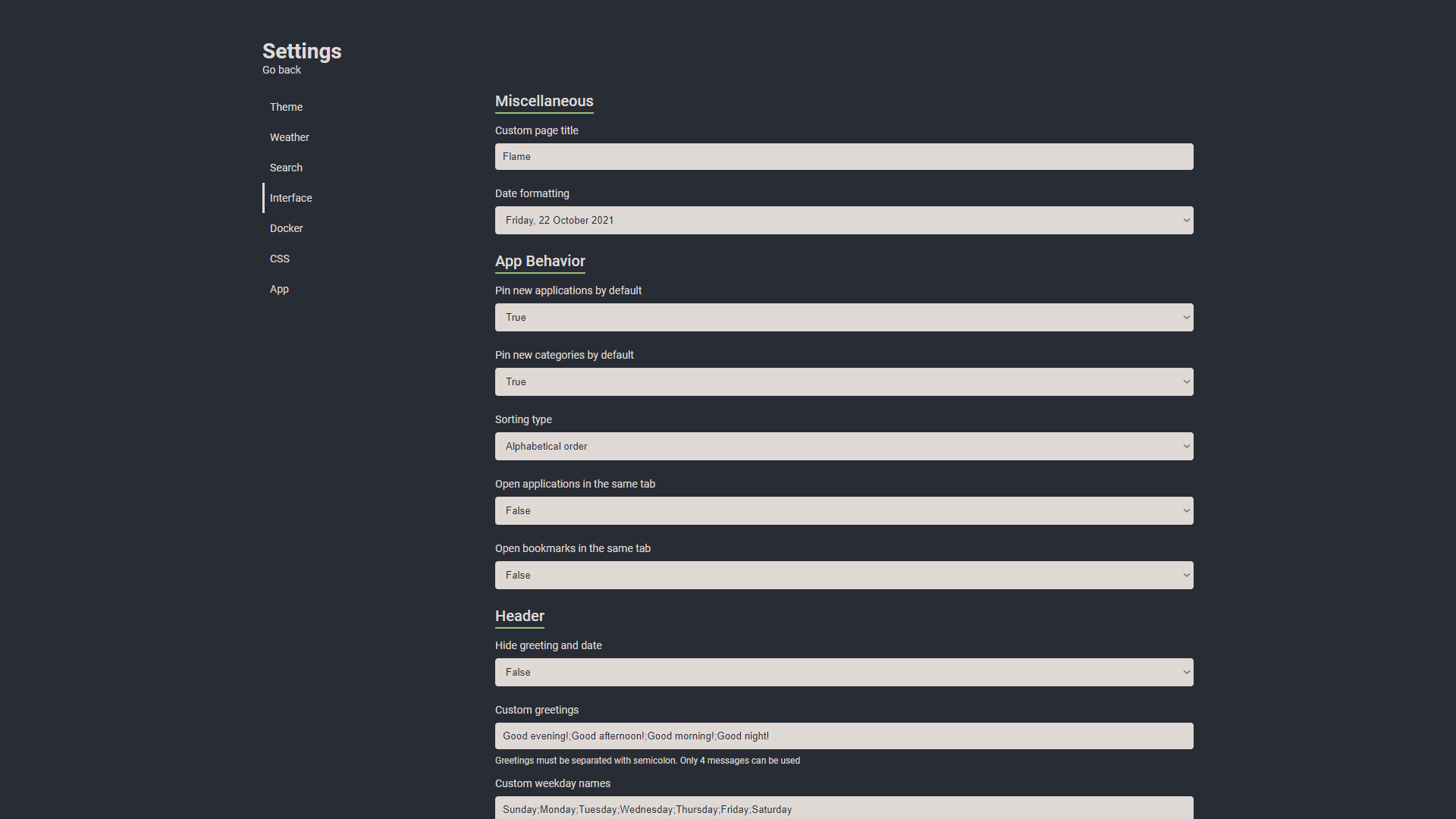
Flame is a self-hosted startpage designed to serve as a personal application hub for your server. It provides a web-based GUI to create, update, and delete applications and bookmarks without editing configuration files. Key capabilities include pinning favorites to the homescreen, an integrated search bar with 11 built-in web search providers plus custom engines, a password authentication system to protect settings, 15 built-in color themes with custom CSS and theme builder support, a weather widget using WeatherAPI.com, and Docker and Kubernetes integrations that automatically discover services via labels and annotations. It runs as a Node.js/Express backend with React/TypeScript frontend, using SQLite for storage. Deployment options include Docker (with multi-arch images), Docker Compose, and a manual Node.js build. The default port is 5005. The project is actively maintained with recent releases.
Flame alternatives
 favedFree open-source bookmark manager with nested tags, automatic metadata fetching and browser/Raindrop/Pocket import, self-hosted as one Docker container.Comparefaved with Flame
 dockgeA self-hosted, open-source web UI for Docker Compose stacks: create, edit and deploy compose.yaml files, with a live web terminal and multi-host agents.Comparedockge with Flame
 lab-dashSelf-hosted dashboard for managing homelab applications with customizable grid layout, service health checks, and PWA support.Comparelab-dash with Flame
 HomelabARR CEA free, open-source dashboard for one-click deployment of 100+ self-hosted apps like Plex, Jellyfin, and Sonarr on your own Linux server via Docker Compose.CompareHomelabARR CE with Flame
 Flamehaven-FilesearchSelf-hosted RAG search engine with BM25+semantic hybrid search across 34 formats, multi-LLM support (Gemini, OpenAI, Claude, Ollama) for private document search.CompareFlamehaven-Filesearch with Flame
 dashwiseAn open-source, self-hosted homelab dashboard with built-in auth and OIDC SSO, widgets, link groups with uptime monitoring, RSS news and Spotlight-style search.Comparedashwise with Flame
 campfireA self-hosted, open-source group chat app from 37signals with rooms, DMs, @mentions, search and a bot API, run in a single Docker container.Comparecampfire with Flame
 Dock-DploySelf-hosted web app for visually building Docker Compose files, generating Homepage configs, and creating schedulers in cron, GitHub Actions, and systemd formats.CompareDock-Dploy with Flame
Should you self-host Flame?
Flame scores 67/100 on selfhost.directory (how scoring works) and ranks #7 of 44 in Dashboard. It has 6 667 GitHub stars, +105 in the last 30 days.
It shipped 1 stable release in the past year. The latest, v2.4.0, came out on 24 April 2026.
Setup is easy: most people get it running in one sitting. An official Docker image is available. It is MIT-licensed and written mostly in Typescript.
Its closest alternative on selfhost.directory is Homepage by gethomepage (84/100, 33 576 stars). It scores higher overall, so compare the two before you pick. See Flame vs Homepage by gethomepage side by side.
Features
- Built-in GUI editors
- Custom themes
- Docker auto-discoveryRequires mounting Docker socket and enabling 'Use Docker API' in settings
- HTML bookmarks importExperimental, requires Python 3 with Pillow and beautifulsoup4
- Integrated search
- Kubernetes auto-discoveryRequires enabling 'Use Kubernetes Ingress API' in settings
- Password Authentication
- Pin Favorites
- Weather WidgetRequires free WeatherAPI.com API key
Flame README

Flame is self-hosted startpage for your server. Its design is inspired (heavily) by SUI. Flame is very easy to setup and use. With built-in editors, it allows you to setup your very own application hub in no time - no file editing necessary.
More in Dashboard
 FloodOpen-source, self-hosted web UI for administering rTorrent, qBittorrent and Transmission, with multi-user logins, dark mode, 20+ languages and a REST API.
 frappe-insightsSelf-hosted open-source BI tool with visual query builder, charts, dashboards. Connects MySQL, PostgreSQL, DuckDB, BigQuery.
 Freebox-Ultra-DashboardSelf-hosted React/Express dashboard for Freebox routers with real-time bandwidth, device management, WiFi, VPN, downloads, files, telephony, TV, VMs.
 frontendTalo Dashboard is a self-hosted, open-source web interface for managing game backend data including players, leaderboards, events, saves, and analytics.
 Garmin GrafanaSelf-hosted, open-source tool that syncs Garmin Connect health metrics to InfluxDB for customizable Grafana dashboards.
 geopulseA self-hosted, privacy-first location timeline platform: an open-source alternative to Google Timeline with automatic trip detection, Immich integration, and rich analytics.
 getbasedgetbased is an open-source, self-hosted personal health dashboard for lab reports, DNA, wearables, light exposure, and lifestyle data with optional AI analysis.
 ghstatsSelf-hosted, open-source tool that pulls GitHub repo traffic via API into SQLite, keeping history beyond the 14-day limit. Includes dashboards, JSON API, and SVG badges.
 GlanceSelf-hosted, open-source startpage dashboard that gathers RSS, YouTube, Reddit and server info into widgetized pages via one small Go binary or Docker container.
 Grok UIGrok UI is a self-hosted, local-first command center for Grok Build with live runtime monitoring, ACP session control, Git tracking, and fleet monitoring.
 hashrate-autopilotSelf-hosted autopilot managing Braiins Hashpower bids with real-time dashboard, charts, and P&L tracking.
 HeimdallA self-hosted, open-source dashboard of tiles for your web apps and bookmarks, with a Google/Bing/DuckDuckGo search bar and live stats pulled from app APIs.
0 comments