
Self-host feishin
v1.17.0Music player for Jellyfin, Navidrome and Subsonic servers
docker run --name feishin -p 9180:9180 ghcr.io/jeffvli/feishin:latest- Stars
- 10 404
- Port
- 9180 (Web client served by the Docker image)
ghcr.io/jeffvli/feishin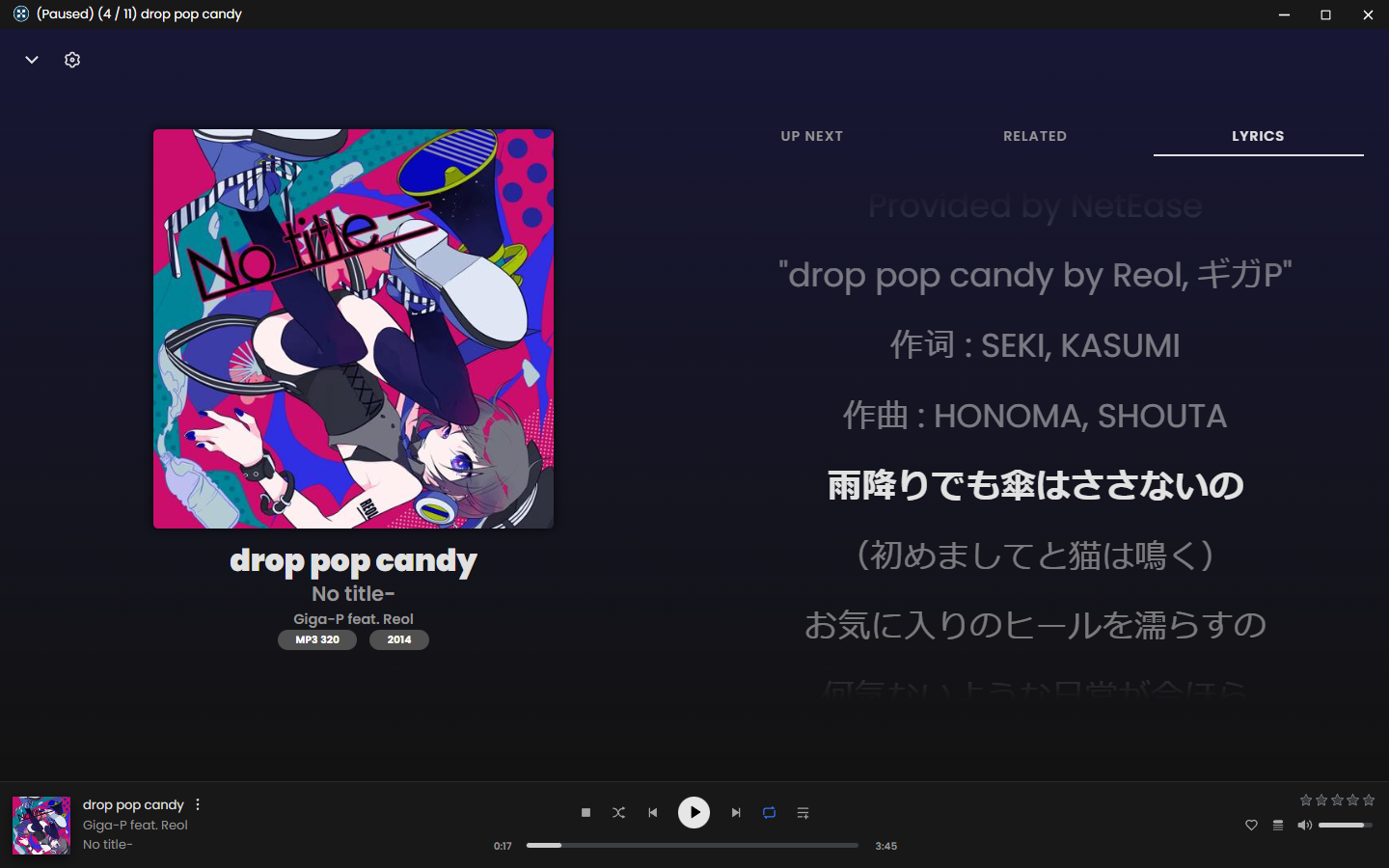
What is feishin?
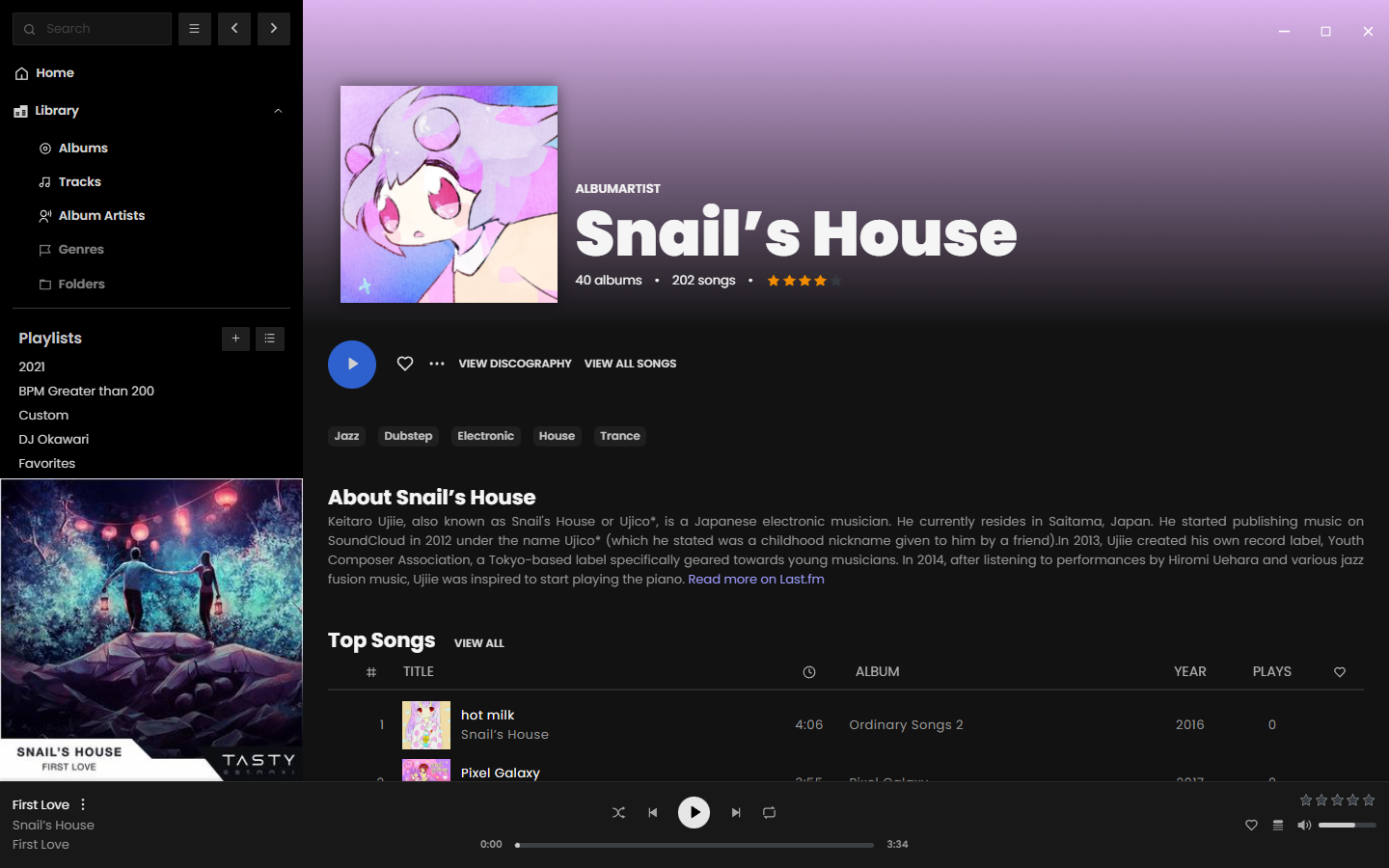
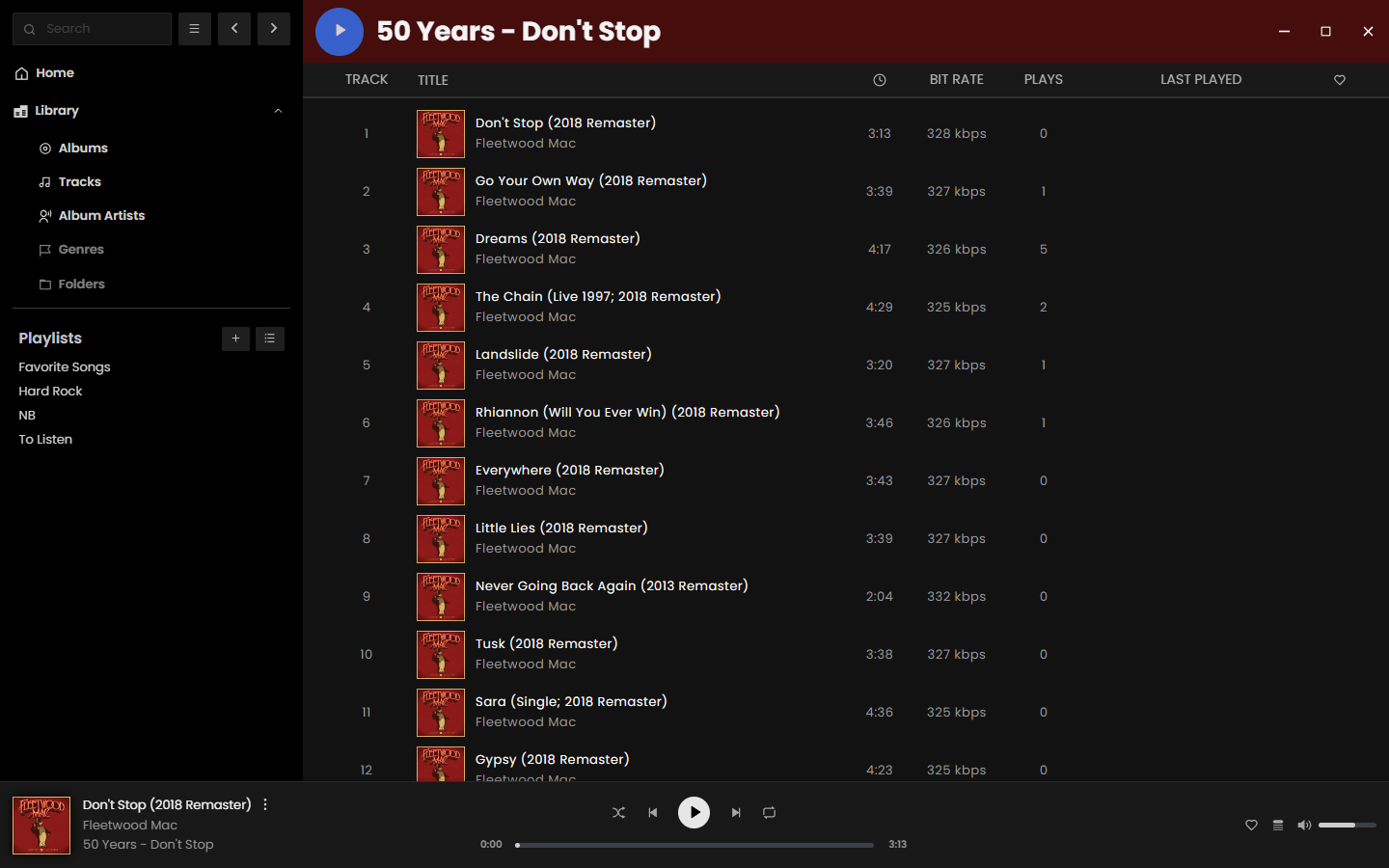
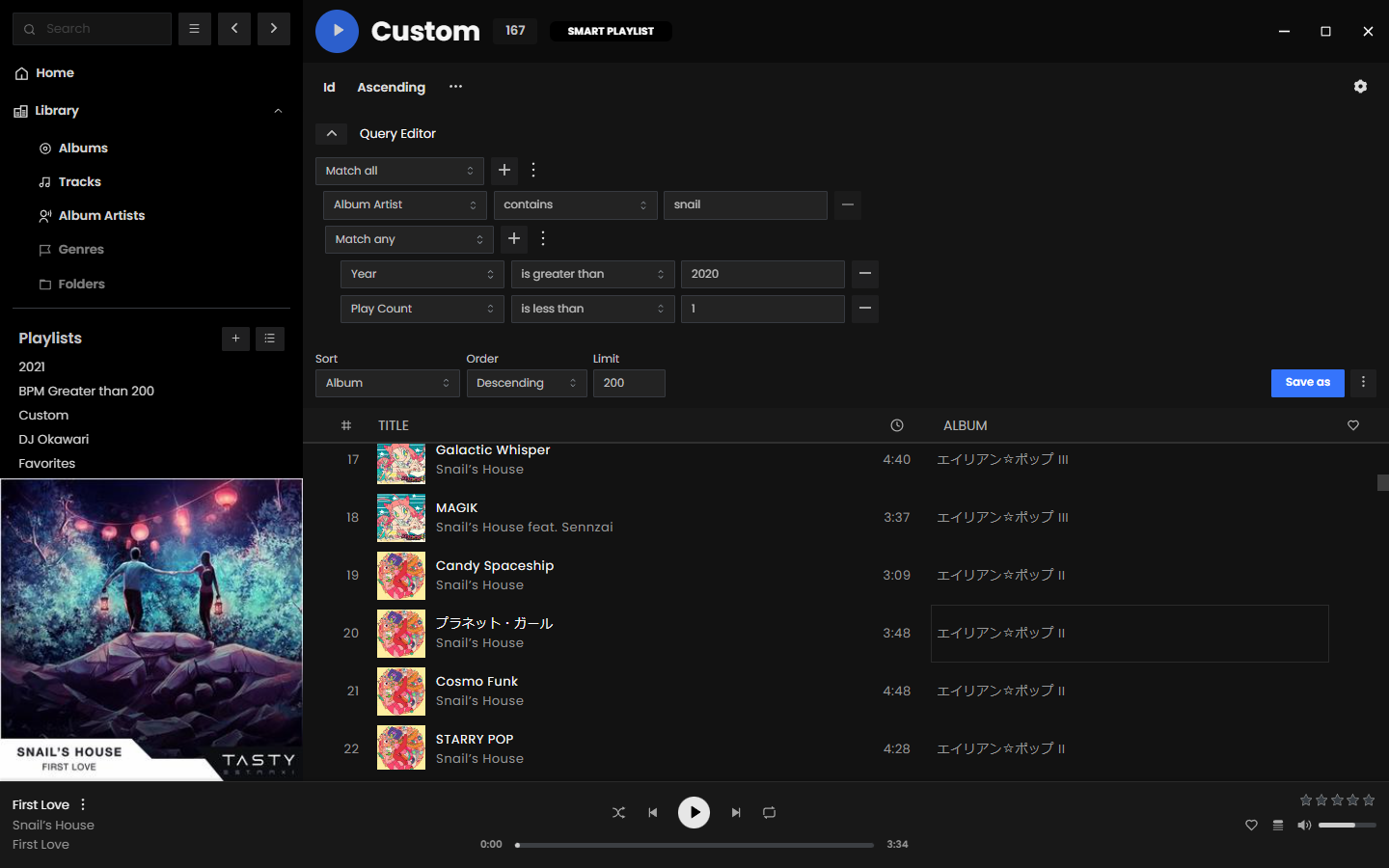
Feishin is a GPL-3.0 music player front-end for people who run their own audio server. It stores no library of its own: it connects to any backend exposing a Jellyfin, Navidrome or OpenSubsonic-compatible API, and the README lists ready support for servers such as Airsonic-Advanced, Ampache, Astiga, Funkwhale, Gonic, LMS, Nextcloud Music, Supysonic and Qm-Music. Playback goes through one of two engines — the MPV binary backend in the desktop app, or the browser-based web player — and the app scrobbles plays back to your server, shows synced and plain lyrics, groups playlists into sidebar folders, builds Auto DJ queues, renders a visualizer and can broadcast Discord rich presence. It ships as Electron builds for Linux, macOS and Windows (Linux also via Flathub or an AppImage install script), and as a ghcr.io container that serves the web client on port 9180; that container is pre-seeded with SERVER_* variables and tuned with the many FS_-prefixed setting overrides collected in docs/ENV_SETTINGS.md. Limits worth knowing: the web build only supports the web playback backend and no built-in lyrics fetching, Plex is not handled natively (a community fork covers it), and Feishin is the rewrite of the author's earlier Sonixd client.
feishin alternatives
 subplayerSubplayer is a self-hosted, open-source web music player for Subsonic backends like Navidrome, with playback, playlists, search, and dark mode theming.Comparesubplayer with feishin
 Navidrome Music Server🎧 Your Personal Streaming ServiceCompareNavidrome Music Server with feishin
 MusicseerrSelf-hosted music request app replacing Lidarr by driving slskd/Usenet, verifying via AcoustID, serving via OpenSubsonic/Jellyfin APIs.CompareMusicseerr with feishin
 miceMice is a self-hosted, open-source web client for Navidrome. It streams your music library with a modern UI, favorites, search, queue management, and Last.fm scrobbling.Comparemice with feishin
 gonicSelf-hosted, open-source Subsonic server API implementation in Go for streaming your own music: transcoding, podcasts, multi-user, Last.fm and ListenBrainz scrobbling.Comparegonic with feishin
 downtifyHost your own music downloader that grabs tracks from Spotify and YouTube Music, tags them automatically, and plays them in a browser-based player with playlist watching.Comparedowntify with feishin
 hifiSelf-hosted Tidal music integration via OpenSubsonic API for Subsonic, Jellyfin, Plexamp clients. Requires valid Tidal subscription.Comparehifi with feishin
 Octo-FiestaA self-hosted, open-source Subsonic API proxy that fills gaps in your Navidrome library by pulling in tracks from streaming services you already subscribe to.CompareOcto-Fiesta with feishin
Should you self-host feishin?
feishin scores 73/100 on selfhost.directory (how scoring works) and ranks #2 of 59 in Music Streaming. It has 10 404 GitHub stars, +291 in the last 30 days.
It shipped 15 stable releases in the past year. The latest, v1.17.0, came out on 15 September 2026. New versions land roughly every 6 days.
Setup is easy: most people get it running in one sitting. An official Docker image is available. It is GPL-3.0-licensed and written mostly in Typescript.
Its closest alternative on selfhost.directory is koel (74/100, 17 345 stars). It scores higher overall, so compare the two before you pick. See feishin vs koel side by side.
Features
- Audio Visualizer
- Auto DJ
- Custom CSS
- Discord rich presence
- Lyrics display
- MPV playback backend
- Multilingual interface
- Multiple servers
- Scrobbling
- Smart playlist editorNavidrome only, per the README checklist.
- Star ratings
- Transcoding
- Web playback backend
- Works with Subsonic / Jellyfin / Navidrome music servers

FAQ
How can I add custom themes?
In the desktop app, drop JSON theme files into the Themes folder opened from Settings → General → Theme → Open Folder; docs/CUSTOM_THEMES.md covers the file format and examples.
What music servers does Feishin support?
Any server that implements a Navidrome, Jellyfin or OpenSubsonic compatible API, including Navidrome, Jellyfin, Airsonic-Advanced, Ampache, Astiga, Funkwhale, Gonic, LMS, Nextcloud Music, Supysonic and Qm-Music. Plex is not supported natively — a community fork handles it.
More in Music Streaming
 foamSelf-hosted PHP web player for Ampache music servers with Fomantic UI, featuring library browsing, playlists, queue management, and FLAC support.
- gonicSelf-hosted, open-source Subsonic server API implementation in Go for streaming your own music: transcoding, podcasts, multi-user, Last.fm and ListenBrainz scrobbling.
- hifiSelf-hosted Tidal music integration via OpenSubsonic API for Subsonic, Jellyfin, Plexamp clients. Requires valid Tidal subscription.
 homehostSelf-hosted, open-source Netflix-like web app for streaming your local media: movies, TV shows and music, with TMDb metadata and Spotify album lookup.
 JellyfinJellyfin is a self-hosted, open-source media server for streaming movies, shows, music, photos, books, and live TV to any device with no fees or tracking.
 jellyfin-discord-music-botSelf-hosted Discord bot that streams Jellyfin/Emby music to voice channels with slash commands for playback control.
 jellyfin-rewindSelf-hosted, open-source web app generating a personalized year-in-review of your Jellyfin music listening, like Spotify Wrapped. Runs in-browser; no data leaves device.
 JUGNU MUSICJUGNU MUSIC is an open-source, self-hosted Discord music bot for YouTube, Spotify, SoundCloud with caching, playlists, lyrics, filters, 24/7 auto-resume.
 Karaoke EternalOpen-source karaoke system. Host your own karaoke parties where guests queue from phones via browser app. MP3+G/MP4 playback, dynamic queues, multiple rooms.
 KimaKima is a self-hosted, open-source music server for your own files, adding podcasts, audiobooks and vibe-based matching that maps your library in 3D.
 koelKoel is a self-hosted, open-source music streaming server that turns your own audio collection into a slick web player with playlists, podcasts, radio and a Subsonic API.
 leafplayerLeafplayer is a self-hosted, open-source music streaming server with mobile-friendly UI, night mode, invite-code accounts, and fast search. Run via Docker or Linux.
0 comments