
Self-host fathom
v1.3.1Open-source website analytics you run on your own server
docker run -d -p 8080:8080 usefathom/fathom:latest- Stars
- 8 035
- Port
- 8080 (HTTP address the Fathom web server and dashboard listen on (FATHOM_SERVER_ADDR default `:8080`))
usefathom/fathom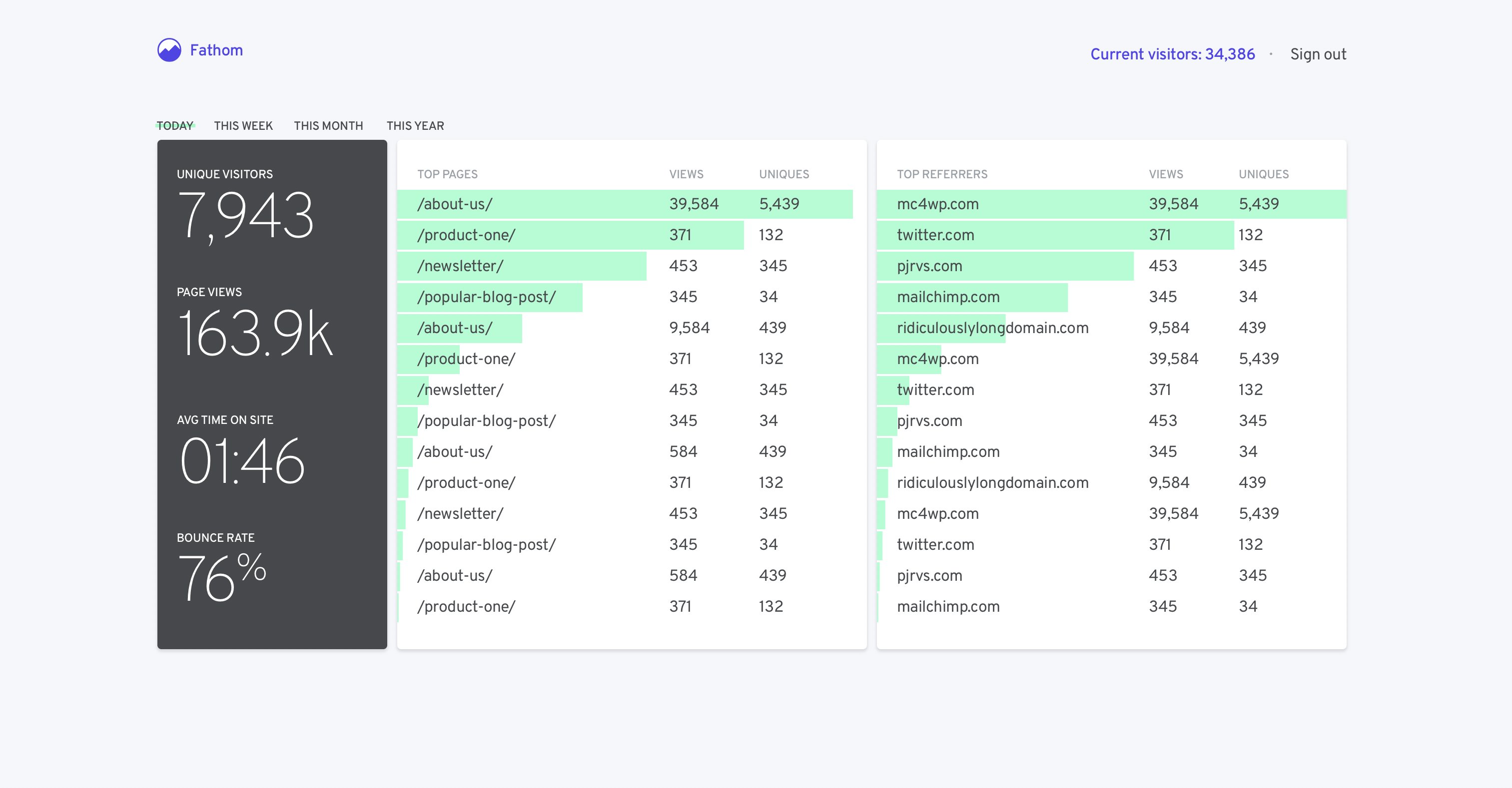
What is fathom?
Fathom Lite is the original open-source edition of the Fathom analytics product: a web-analytics server written in Go with a Preact front end, for site owners who want to count visits on their own hardware. You add a site in the dashboard, paste the tracking snippet it shows into the pages you want measured, and then open the dashboard on whatever address the server binds to (port 8080 by default). Records go into a SQLite file sitting in the working directory unless you point Fathom at MySQL or PostgreSQL with the FATHOM_DATABASE_* settings, and the first admin login is created from the command line with fathom user add rather than a signup form. The official install guide walks through the release tarball, the published Docker image, an NGINX proxy block, a systemd unit for boot, and a Let's Encrypt certificate via Certbot. The project is in maintenance mode: the team adds no new features, so Lite keeps its older interface and cookie-based tracking, and it has none of the API access, custom events, ecommerce data, email reports or CSV export that the paid hosted service offers.
fathom alternatives
 OpenAnalyticsOpen-source, cookieless web analytics with realtime dashboards, funnels and revenue attribution, self-hosted via Docker Compose on Postgres and ClickHouse.CompareOpenAnalytics with fathom
 Plausible AnalyticsOpen-source, privacy-first web analytics with a one-page dashboard and a cookie-free tracker; self-hosted as Community Edition via Docker Compose.ComparePlausible Analytics with fathom
 LitlyxOpen-source, cookieless web analytics you can self-host with Docker, featuring AI insights and GDPR compliance as an alternative to Google Analytics.CompareLitlyx with fathom
 faenzSelf-hosted, open-source web analytics alternative to Plausible, GDPR-compliant and cookie-free, runs on low-resource VPS with SQLite or MySQL.Comparefaenz with fathom
 HitKeepA single-binary, open-source analytics tool that covers traffic, conversions, search performance, and AI-driven visits without needing a separate database.CompareHitKeep with fathom
 GoatCounterEasy web analytics. No tracking of personal data.CompareGoatCounter with fathom
 Medama AnalyticsOpen-source, self-hosted website analytics with a sub-1KB cookie-free tracker, DuckDB-based single-binary server, real-time dashboards, and an OpenAPI REST API.CompareMedama Analytics with fathom
 UmamiOpen-source, self-hosted web and product analytics: traffic, events, funnels, replays and heatmaps without cookies, backed by PostgreSQL and shipped as a Docker image.CompareUmami with fathom
Should you self-host fathom?
fathom scores 62/100 on selfhost.directory (how scoring works) and ranks #9 of 22 in Web analytics. It has 8 035 GitHub stars, +14 in the last 30 days.
There was no stable release in the past 12 months, so check the repository's recent activity before you rely on it.
Setup is easy: most people get it running in one sitting. An official Docker image is available. It is MIT-licensed and written mostly in Go.
Its closest alternative on selfhost.directory is Plausible Analytics (79/100, 29 844 stars). It scores higher overall, so compare the two before you pick. See fathom vs Plausible Analytics side by side.
Features
- Command-line setup and user management
- Cookie-based visitor trackingREADME lists "Cookie-free (no analytics banner)" as unavailable in Lite.
- Gzip HTTP compression
- Health check endpoint
- Maintenance-only status
- Privacy-focused pageview tracking
- Tracking snippet per site
- Website analytics dashboard
fathom README
Fathom Lite is a previous and open-source version of Fathom Analytics (a paid, hosted Google Analytics alternative). It was the very first version of our software, and has been downloaded millions of times!
More in Web analytics
 GoAccess-NPMLogsSelf-hosted Docker image that runs GoAccess to parse and visualize Nginx Proxy Manager, Traefik, Caddy, and custom web server logs with GeoIP support and a web dashboard.
- GoatCounterEasy web analytics. No tracking of personal data.
 MatomoComplete web analytics platform for self-hosted deployment with full data ownership and built-in privacy features.
- Medama AnalyticsOpen-source, self-hosted website analytics with a sub-1KB cookie-free tracker, DuckDB-based single-binary server, real-time dashboards, and an OpenAPI REST API.
 OffenOffen Fair Web Analytics
- OpenAnalyticsOpen-source, cookieless web analytics with realtime dashboards, funnels and revenue attribution, self-hosted via Docker Compose on Postgres and ClickHouse.
 openpanelOpen-source, self-hosted web and product analytics in the spirit of Mixpanel: funnels, cohorts, session replay, A/B testing, revenue tracking, cookieless by default.
 openwebanalyticsSelf-hosted, open-source web analytics with a first-party JS tracker, dashboards, heatmaps, session recordings and a REST API — an alternative to Google Analytics.
- Plausible AnalyticsOpen-source, privacy-first web analytics with a one-page dashboard and a cookie-free tracker; self-hosted as Community Edition via Docker Compose.
 Plausible CESelf-hosted, AGPL-licensed community edition of Plausible: cookieless web analytics with a single-page dashboard, run via Docker Compose with PostgreSQL and ClickHouse.
 poeticmetricPoeticMetric is a self-hosted, open-source web analytics platform replacing Google Analytics with privacy-first, cookie-free tracking.
 PostHogOpen-source product toolkit - analytics, session replay, feature flags, error tracking - with a one-line self-hosted hobby deploy using Docker Compose.
0 comments