
Self-host DbGate
v7.3.6Cross-platform SQL and NoSQL database manager
docker run -it --name dbgate-instance --restart always -p <port on host>:3000 dbgate/dbgate- Stars
- 7 380
- Port
- 3000 (Port the DbGate web application listens on inside the container (mapped to a host port of your choice).)
dbgate/dbgate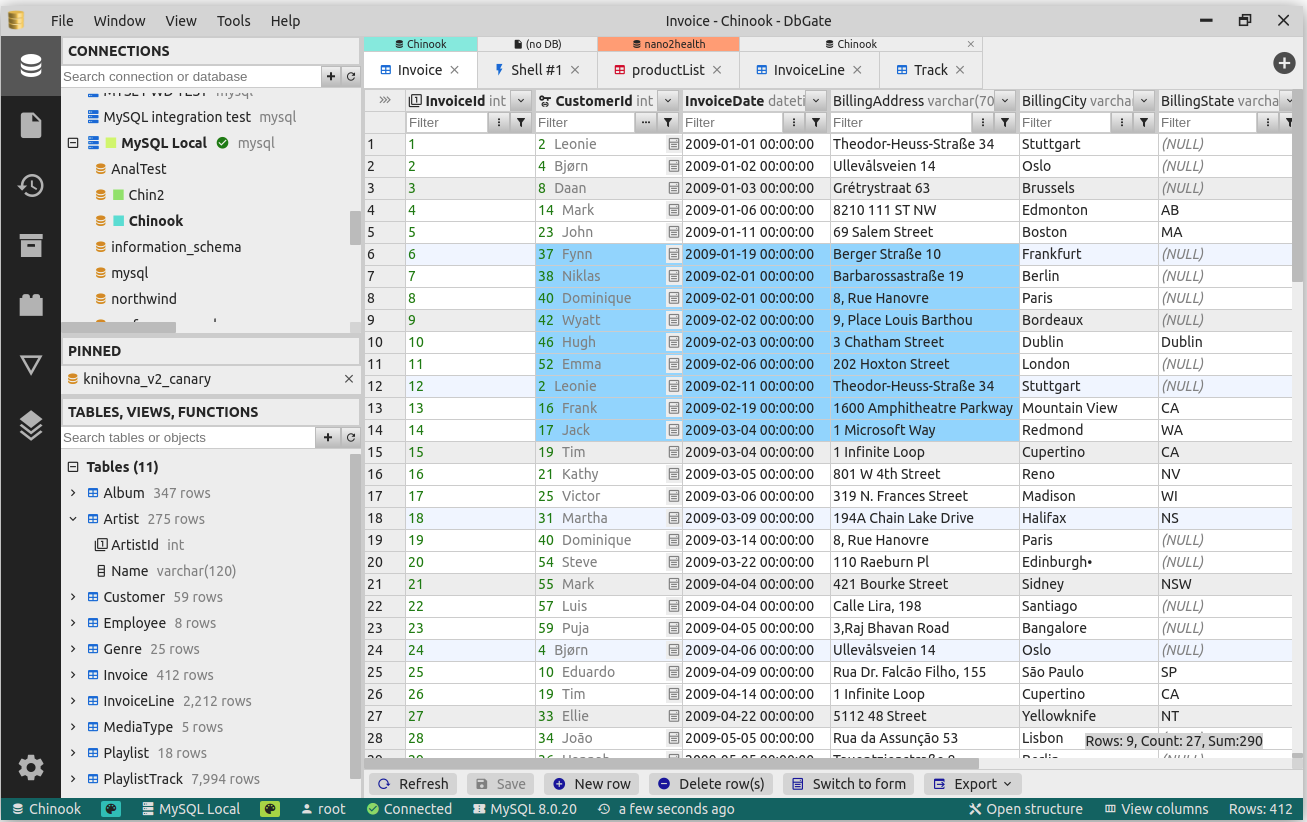


What is DbGate?
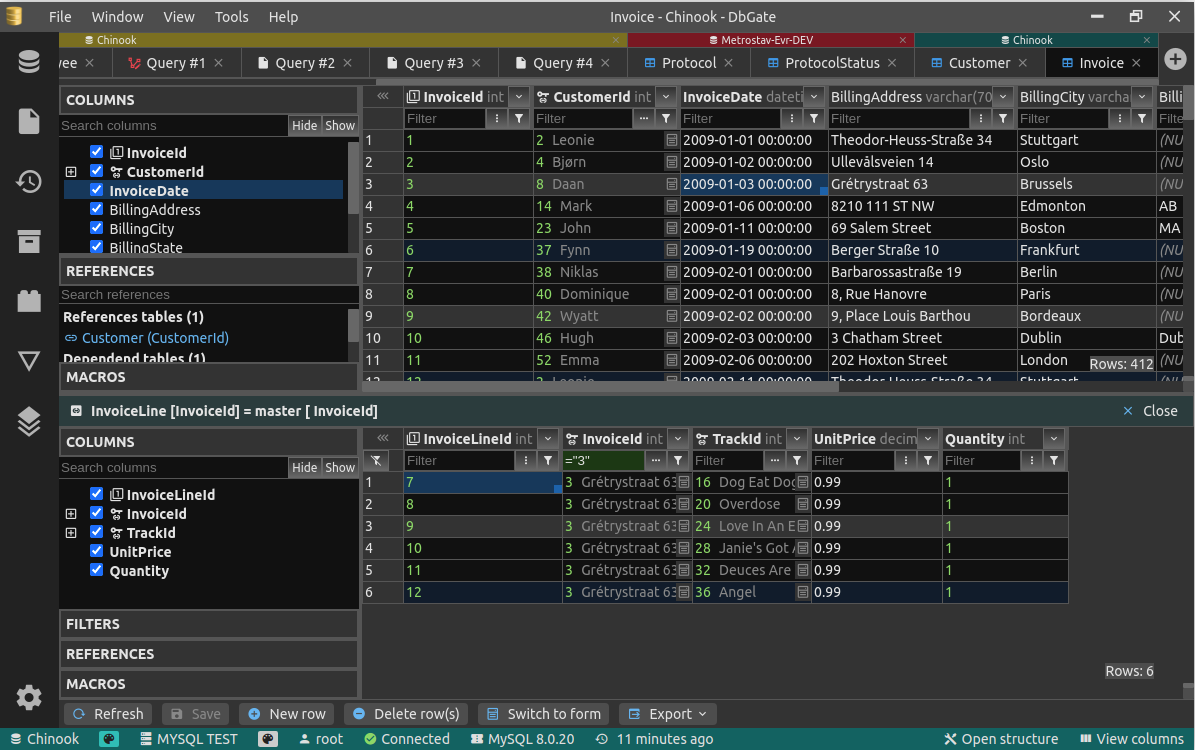
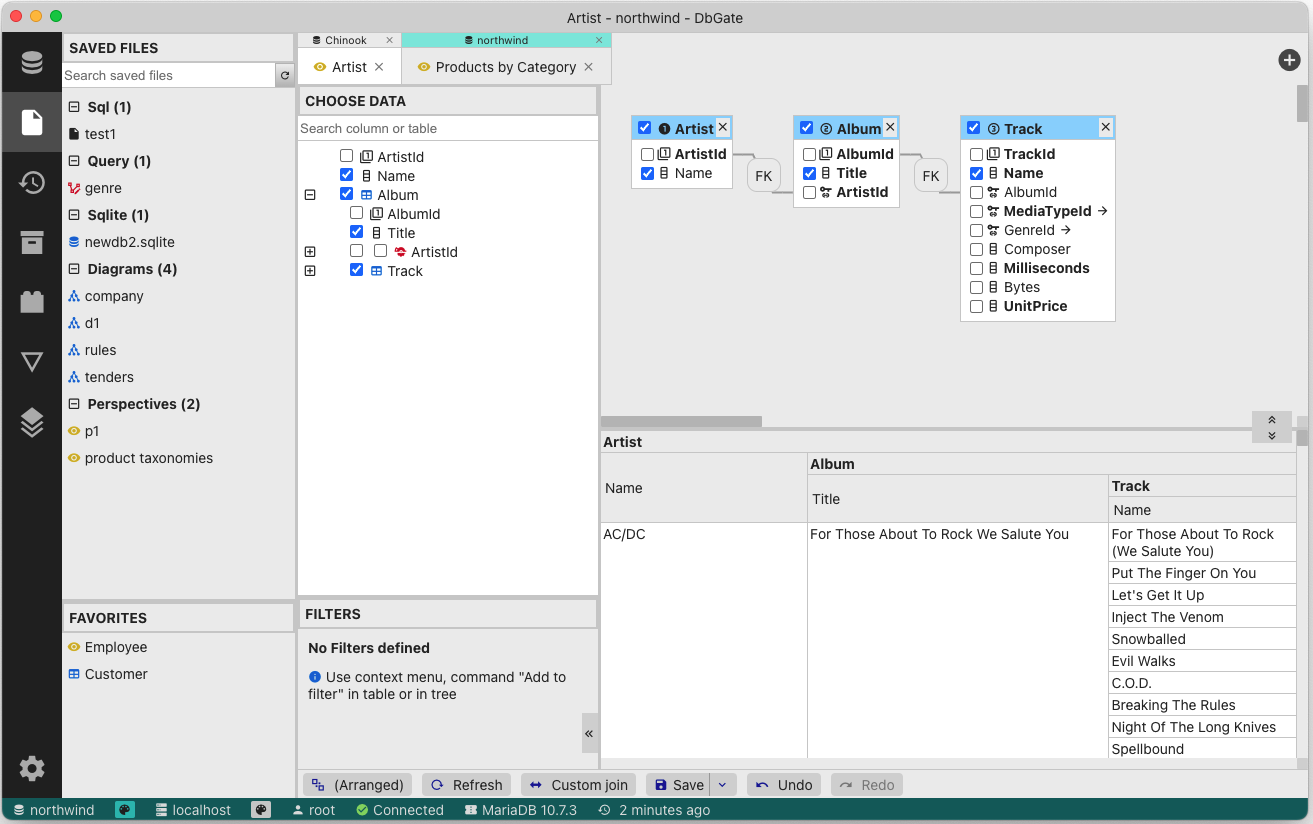
DbGate is a cross-platform database manager covering both SQL and NoSQL engines: mainstream relational servers (MySQL, PostgreSQL, SQL Server, Oracle, MariaDB, CockroachDB, ClickHouse, Firebird, DuckDB), document/key stores (MongoDB, Redis, Firestore, CosmosDB) and file-based databases such as SQLite and libSQL. Its data browser offers Excel-like and multi-value filters, master/detail views and foreign-key lookups, plus row editing with a preview of the generated change script; on top of that there is schema editing, structure compare and synchronisation, ER diagrams, a visual query designer, charts, maps and an AI-powered natural-language database chat. CSV, Excel, JSON, NDJSON, XML and DBF can be imported and exported in batches, tables can be archived as NDJSON files, and a NodeJs scripting interface together with a plugin architecture lets it be extended. The free, GPL-3.0 licensed Community edition installs as a desktop application on Windows, Linux and Mac, or as a web application: a single Docker container (listening on 3000 internally, mapped to any host port) or the dbgate-serve NPM package, with a volume mounted at /root/.dbgate to persist connections, scripts and archives and environment variables to preconfigure connections. Premium and Team Premium are paid editions adding advanced features, DbGate Cloud storage, user/role administration and separate Docker, Azure and AWS distributions; Redshift, CosmosDB, libSQL/Turso and Firestore connectors are Premium-only.
DbGate alternatives
 databasementDatabasement is a self-hosted, open-source database backup manager: register MySQL, PostgreSQL, MongoDB, Redis and more, schedule backups, and restore.Comparedatabasement with DbGate
 ChartDBOpen-source database diagram editor that visualizes schemas with a single query, supports major databases, exports SQL, and self-hosts via Docker.CompareChartDB with DbGate
 portabaseSelf-hosted, open-source database backup tool where agents dump PostgreSQL, MySQL, MongoDB and more on a cron, with GFS retention, S3/SFTP storage and restores.Compareportabase with DbGate
 AppwriteThe open-source cloud for agents & devs. Including Auth, Databases, Storage, Functions, Messaging, Hosting, Realtime, WAF and moreCompareAppwrite with DbGate
 WhoDBOpen-source, self-hosted database workspace: browse and edit data, query in a scratchpad, visualise schema graphs, with optional Ollama, OpenAI or Anthropic AI chat.CompareWhoDB with DbGate
 firebolt-coreA free, self-hosted analytical database with PostgreSQL SQL, Iceberg support, and distributed query execution scaling from laptop to enterprise clusters.Comparefirebolt-core with DbGate
 keygateSelf-hosted license server for software businesses with Stripe billing, usage metering, floating licenses, and update distribution for desktop apps.Comparekeygate with DbGate
 dbhubDBHub is a minimal, token-efficient MCP server connecting AI assistants to PostgreSQL, MySQL, SQL Server, Oracle, MariaDB, and SQLite with built-in guardrails.Comparedbhub with DbGate
Should you self-host DbGate?
DbGate scores 67/100 on selfhost.directory (how scoring works) and ranks #14 of 41 in Database Management. It has 7 380 GitHub stars, +48 in the last 30 days.
It shipped 15 stable releases in the past year. The latest, v7.3.6, came out on 12 November 2026. New versions land roughly every 2 weeks.
Setup is easy: most people get it running in one sitting. An official Docker image is available. It is GPL-3.0-licensed and written mostly in JavaScript.
Its closest alternative on selfhost.directory is supabase (90/100, 114 971 stars). It scores higher overall, so compare the two before you pick. See DbGate vs supabase side by side.
Features
- AI-powered database chatAI tools are listed in the Premium edition.
- Charts and map visualisationCharts are listed under the Premium edition.
- Data browser and editor
- ER diagram
- Extensible plugin architecture
- Import and export in many formats
- Multi-database support (SQL and NoSQL)
- NDJSON archives
- NodeJs scripting interface
- Schema compare and sync
- Schema editor
- SQL editor with completion and formatting
- Visual query designerListed as a Premium-edition feature.
DbGate README

DbGate is cross-platform database manager. It's designed to be simple to use and effective, when working with more databases simultaneously. But there are also many advanced features like schema compare, visual query designer, chart visualisation or batch export and import.
More in Database Management
- dbhubDBHub is a minimal, token-efficient MCP server connecting AI assistants to PostgreSQL, MySQL, SQL Server, Oracle, MariaDB, and SQLite with built-in guardrails.
 docker-borg-mysql-backupSelf-hosted Docker container backing up MySQL/PostgreSQL and files to Borg repos with cron scheduling, encryption, pruning, and error notifications.
 DocumentDBSelf-hosted, open-source MongoDB-compatible document database built on PostgreSQL with native BSON, vector search, and SCRAM authentication.
 drawdbSelf-hosted, open-source tool for drawing database schemas as ER diagrams; it imports DDL, exports DBML plus SQL in seven dialects, and needs no account.
 ETH Transactions StorageSelf-hosted Ethereum indexer storing native ETH and ERC-20 transfers in PostgreSQL with a read-only PostgREST API and optional address filtering.
 FrostbaseFrostbase is a self-hosted, open-source Firebase alternative on Cloudflare Workers with auth, realtime DB, SQL, storage, and remote config.
 GreenmaskAn open-source CLI utility that masks PostgreSQL database dumps and creates synthetic test data for CI/CD workflows.
 HasuraSelf-hosted GraphQL engine generating realtime APIs from PostgreSQL, MongoDB, ClickHouse, and SQL Server with built-in authorization and webhooks.
- LiberaFormsSelf-hosted open-source form tool for designing web forms with conditional fields, E2EE encryption, GDPR compliance. Alternative to FormBricks, LimeSurvey.
 LibreDB StudioSelf-hosted, open-source SQL IDE covering 41 database engines in one browser tab, with OIDC SSO, RBAC, query auditing and an AI query agent — MIT licensed.
 LlanaSelf-hosted, open-source API wrapper exposing REST APIs for databases in minutes. Supports MySQL, PostgreSQL, MSSQL, MongoDB with auth, roles, caching, webhooks.
 MariaDBMariaDB server is a community developed fork of MySQL server. Started by core members of the original MySQL team, MariaDB actively works with outside developers to deliver the most featureful, stable, and sanely licensed open SQL server in the industry.
0 comments