
Self-host CapRover
v1.16.0Scalable PaaS automating Docker, nginx and SSL deploys
- Stars
- 15 205
- Ports
- 80 (HTTP for deployed apps), 443 (HTTPS (and HTTP/3 over udp)), 3000 (CapRover dashboard/admin during initial setup), 996 (CapRover's built-in Docker registry, exposed only when an external client must connect)
- Requires
- Docker
caprover/caprover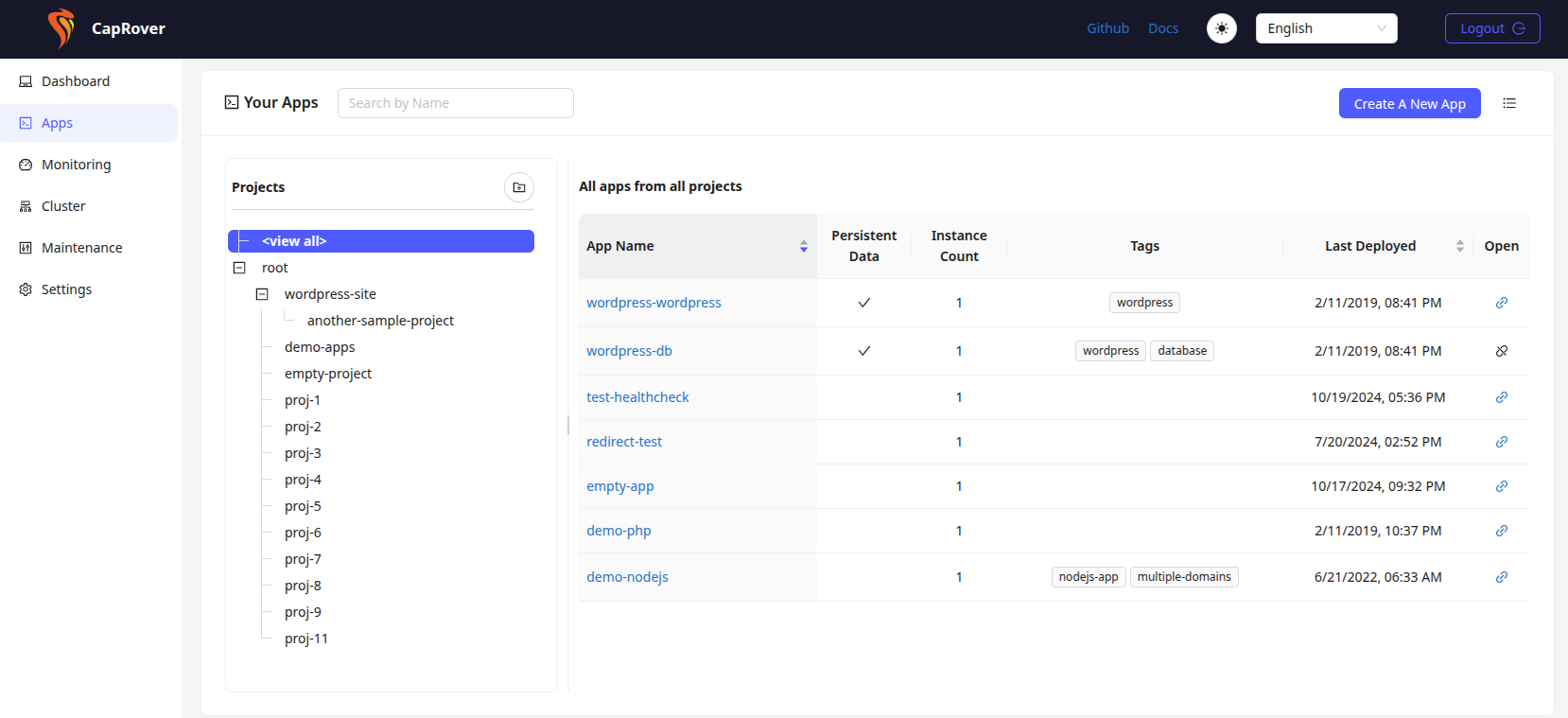
What is CapRover?
CapRover turns one server into an app and database deployment platform with a web GUI, aimed at developers who would rather ship code than juggle nginx configs, build scripts and SSL certificates. It drives Docker, Docker Swarm, nginx, Let's Encrypt and NetData behind a simple dashboard and an npm-distributed CLI. You can deploy Node.js, Python, PHP, Ruby, Go, .NET or any containerized app from the dashboard, the CLI, a webhook or your git repo, launch databases and popular services like WordPress as one-click apps, attach multiple custom domains with automatically issued and renewed HTTPS certificates, tweak environment variables, persistent directories and instance counts, revert a buggy deploy with one click, and customize the underlying nginx template. Scaling means adding nodes to the Docker Swarm cluster and letting CapRover handle load balancing. Installation is one docker run command publishing ports 80, 443 and 3000, followed by root-domain setup with the CLI or the web UI; a public IP and a wildcard DNS entry are expected for HTTPS. The project stresses there is no lock-in — removing CapRover leaves your apps running. It is free, Apache 2.0 licensed, and funded through OpenCollective.
CapRover alternatives
 coolifySelf-hosted open-source alternative to Vercel, Heroku, and Netlify that lets you deploy applications, databases, and 300+ one-click services to your own servers via SSH.Comparecoolify with CapRover
 OpenshipSelf-hosted open-source PaaS: hand it a repo, a folder or an artifact and it detects your stack, builds it, then serves it on your domain with free certificates.CompareOpenship with CapRover
 QuickStackA free, open-source platform you host yourself that replaces Vercel or Heroku — deploy apps and databases on your own hardware with automatic HTTPS and backups.CompareQuickStack with CapRover
 openrunA self-hosted GitOps platform that deploys web apps to Docker or Kubernetes using declarative config, with built-in SSO, RBAC, and database bindings.Compareopenrun with CapRover
 dockpanelDockPanel is a free, self-hosted server panel in Rust/React managing sites, databases, Docker apps, SSL, backups, mail, DNS, security. ~49MB RAM, 147 templatesComparedockpanel with CapRover
 vitoOpen-source, self-hosted server management panel: provision VPS clouds, deploy PHP/Laravel or Node.js apps, and manage databases, SSL, firewall, cron and monitoring.Comparevito with CapRover
 Websoft9Self-hosted PaaS panel in a single Docker container that one-click deploys hundreds of open-source web apps, with domains, SSL, backups and monitoring. Open-source.CompareWebsoft9 with CapRover
 open-sparrowOpenSparrow is a self-hosted, open-source PHP platform generating CRUD apps, dashboards, calendars from JSON schema on PostgreSQL. Includes RAG, workflows, Kanban, 2FA.Compareopen-sparrow with CapRover
All self-hosted alternatives to Heroku → All self-hosted alternatives to Microsoft Azure →
Should you self-host CapRover?
CapRover scores 72/100 on selfhost.directory (how scoring works) and ranks #4 of 14 in Platform as a Service. It has 15 205 GitHub stars, +25 in the last 30 days.
It shipped 9 stable releases in the past year. The latest, v1.16.0, came out on 3 November 2026. New versions land roughly every 2 weeks.
Setup is moderate: expect some configuration beyond a single command. An official Docker image is available. It is Apache-2.0-licensed and written mostly in Typescript.
Its closest alternative on selfhost.directory is coolify (88/100, 65 894 stars). It scores higher overall, so compare the two before you pick. See CapRover vs coolify side by side.
Features
- App configuration management
- Automatic HTTPS
- CLI
- Custom domains
- Customizable nginx configuration
- Deploy non-web apps
- Flexible deployment methods
- Multi-node clustering and load balancing
- No vendor lock-in
- One-click app catalog
- One-click rollback
- Resource Monitoring
- Web Dashboard
CapRover README
Easiest app/database deployment platform and webserver package for your NodeJS, Python, PHP, Ruby, Go applications.
No Docker, nginx knowledge required!
CapRover is an extremely easy to use app/database deployment & web server manager for your NodeJS, Python, PHP, ASP.NET, Ruby, MariaDB, MySQL, MongoDB, Postgres, WordPress (and etc...) applications!
It's blazingly fast and very robust as it uses Docker, nginx, LetsEncrypt and NetData under the hood behind its simple-to-use interface.
More in Platform as a Service
- coolifySelf-hosted open-source alternative to Vercel, Heroku, and Netlify that lets you deploy applications, databases, and 300+ one-click services to your own servers via SSH.
 cozystackCozystack is a self-hosted, open-source cloud platform turning bare metal into managed infrastructure with Kubernetes clusters, databases, VMs, and object storage.
 disco-daemonDisco Daemon runs on your Linux server to manage Docker Swarm deployments with automatic HTTPS, GitHub webhooks, and a REST API for the Disco CLI.
 dokkuSelf-hosted PaaS alternative to Heroku for building and managing applications. Open-source platform with Git-based deployment using Docker containers and buildpacks.
 dokploySelf-hosted, open-source PaaS to deploy apps, Docker Compose stacks and databases on your VPS, with one-click templates, Traefik, backups and multi-server support.
 EncoreOpen-source backend dev platform: declare databases, queues and cron jobs in Go or TypeScript code, and build standalone Docker images for self-hosted deploys.
 ethiboxEthibox is a self-hosted, open-source web app hoster for one-click deployment of 58+ apps like Nextcloud and Mattermost with auto-updates, backups, and custom domains.
 MesherySelf-hosted, open-source cloud native manager: model, deploy and operate multi-cluster Kubernetes with visual GitOps and nearly 400 integrations.
 mortiseMortise brings Railway-style git-push deployments to your own Kubernetes cluster. Open-source, self-hosted, handles builds, TLS, domains, and preview environments.
 QuantumRun your own Platform-as-a-Service: deploy GitHub projects, databases, templates, and Compose stacks on a private server with a web UI.
 tempsSelf-hosted open-source deployment platform replacing Vercel, Sentry, PostHog with one Rust binary — deploy from git, track errors, monitor uptime, analyze traffic.
 tsuruSelf-hosted, open-source PaaS that runs apps on your own Kubernetes clusters with one-command deploys, autoscaling, teams, quotas and add-on services.
0 comments