
Self-host capjs
capd@4.0.5Privacy-first CAPTCHA using proof-of-work, no puzzles
docker compose up -d- Stars
- 8 292
- Port
- 3000 (HTTP server for the REST API, siteverify endpoint and admin dashboard)
- Requires
- Redis or Valkey
tiago2/cap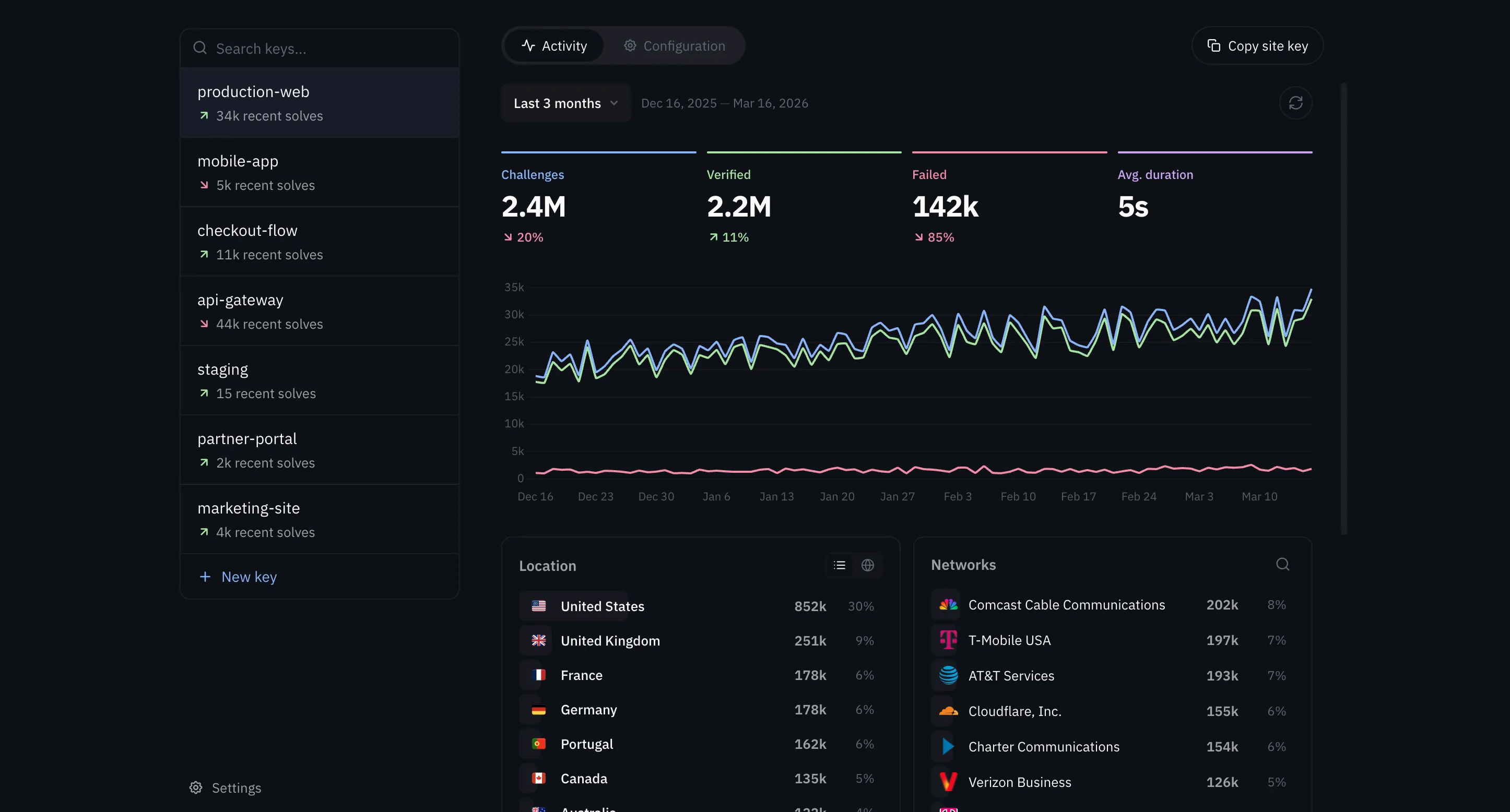
What is capjs?
Cap is a privacy-focused CAPTCHA you run on your own infrastructure, aimed at developers who want bot protection on forms and logins without sending visitor data to a third party. Instead of image puzzles, every challenge combines proof-of-work (parallel SHA-256 hashes, time-lock puzzles, or the GPU-resistant HashWX protocol) with server-generated JavaScript instrumentation that checks the real browser environment; instrumentation can also be tuned to block automated browsers driven by AI agents. The client is a roughly 20 kB web component with CSS-variable theming, i18n and RTL support, framework snippets for React, Vue, Svelte and others, plus an invisible programmatic mode. Verification goes through a small REST API whose /siteverify endpoint mimics reCAPTCHA's, so existing backend code can migrate by changing one URL. Self-hosting is a Docker Compose stack of the tiago2/cap container with Valkey/Redis; you log into a browser dashboard with an ADMIN_KEY and mint multiple site keys, with per-IP rate limiting and health endpoints included. One-click deploy on Railway and Workers-based setups are also offered. The project is Apache-2.0 licensed, used in production at companies such as bunny.net and AdGuard, and positions itself as compliant with GDPR and other privacy regimes.
capjs alternatives
 ohmycaptchaSelf-hosted open-source captcha solver with a YesCaptcha-style createTask API covering reCAPTCHA, hCaptcha, Turnstile and image tasks via Playwright and vision models.Compareohmycaptcha with capjs
 TRAWLA self-hosted, open-source scraping engine that bypasses JavaScript challenges and CAPTCHAs using an adaptive tier engine with HTTP-first approach and MCP support.CompareTRAWL with capjs
 opencaptchaOpenCaptcha is a self-hosted, open-source API generating CAPTCHA images from text with multilingual support, customizable themes, and adjustable difficulty.Compareopencaptcha with capjs
 capCap is a self-hosted, open-source screen recorder for Mac and Windows with instant shareable links, local editing, AI transcriptions, and full data ownership.Comparecap with capjs
 camofox-browserSelf-hosted, open-source browser server that drives the Camoufox Firefox engine through a REST API, evading Cloudflare and bot detection for AI agents.Comparecamofox-browser with capjs
 CloakBrowserSelf-hosted stealth Chromium with source-level fingerprint patches passing 50+ bot detection tests. Drop-in Playwright replacement plus Pro tier for latest builds.CompareCloakBrowser with capjs
 CapRoverSelf-hosted open-source PaaS: deploy apps and one-click databases via a web dashboard, CLI, git or webhook pushes, with free Let's Encrypt HTTPS on Docker Swarm.CompareCapRover with capjs
 mosparomosparo is a self-hosted, open-source spam protection for web forms that blocks spam by analyzing content instead of puzzles, making it accessible and privacy-friendly.Comparemosparo with capjs
All self-hosted alternatives to Cloudflare Turnstile → All self-hosted alternatives to Google reCAPTCHA → All self-hosted alternatives to hCaptcha →
Should you self-host capjs?
capjs scores 72/100 on selfhost.directory (how scoring works) and ranks #16 of 78 in Security. It has 8 292 GitHub stars, +357 in the last 30 days.
It shipped 32 stable releases in the past year. The latest, capd@4.0.5, came out on 9 November 2026.
Setup is easy: most people get it running in one sitting. An official Docker image is available. It is Apache-2.0-licensed and written mostly in JavaScript.
Its closest alternative on selfhost.directory is altcha (63/100, 2 888 stars). capjs scores higher overall. See capjs vs altcha side by side.
Features
- Admin Dashboard
- AI agent blocking
- Browser instrumentation challenges
- Customizable widget styling
- Headless browser detection
- Health check endpoints
- Invisible / programmatic mode
- Multiple site keys
- Per-IP rate limiting
- Proof-of-work challenges
- reCAPTCHA-compatible siteverify API
- REST API
- RTL support
capjs README

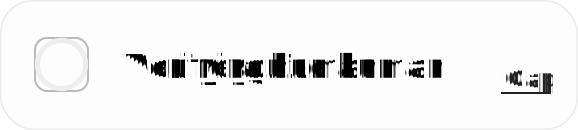
cap is a self-hosted and privacy-first captcha alternative that doesn't force your users to click on traffic lights. there are no puzzles, no tracking, and no third parties watching your visitors.
instead, the user's browser quietly solves a few small challenges in the background, such as gpu-resistant proof-of-work and instrumentation, which can also be configured to stop autonomous AI agents from using up your resources.
FAQ
What is an open-source CAPTCHA?
Bot protection whose code you can read, audit and self-host instead of a closed third-party service; Cap is Apache 2.0 and runs on your own infrastructure.
What does it cost to self-host?
Cap Standalone reportedly fits on a $5 VPS for most sites, with no per-request fees, no third-party egress and no API quotas.
How effective is it against real bots?
The combination of instrumentation and proof-of-work is described as very effective at making automated abuse at scale difficult.
Can I migrate from reCAPTCHA / hCaptcha?
The siteverify API is compatible with reCAPTCHA and hCaptcha, but you need to swap the client-side code to use Cap's widget.
Is it GDPR-friendly?
Yes: Cap sets no cookies, doesn't phone home or fingerprint users, so only your own server sees the verification.
More in Security
 captchaProsopo Procaptcha is a self-hosted, open-source CAPTCHA replacing reCAPTCHA and hCaptcha with zero data collection and proof-of-work or slider puzzle challenges.
 CDRM-Project-2.0CDRM-Project is a self-hosted, open-source web application that decrypts Widevine and PlayReady DRM content using a Flask and React stack with SQLite or MariaDB backend.
 cerbosOpen-source authorization policy engine (PDP) that decides access from YAML RBAC/ABAC rules via HTTP and gRPC APIs, self-hosted as a container, Helm chart or binary.
 certificatesOpen-source, self-hosted private CA that automates X.509/TLS and SSH certificate issuance and doubles as your own ACMEv2 server.
 CertimateSelf-hosted open-source ACME tool for SSL cert workflows: DNS-01/HTTP-01 requests, deployment to 160+ cloud and Kubernetes targets, automated renewal and monitoring.
 CertMateCertMate is a self-hosted, open-source TLS certificate manager that issues, renews, discovers, and deploys certs across 29 DNS providers with audit trail, OIDC/SSO.
 Cert WardenSelf-hosted ACME certificate manager with a web UI and API: automated Let's Encrypt renewals, DNS-01 and HTTP-01 challenges, cert delivery via scoped API keys.
 chatmail relaychatmail relay is a self-hosted, open-source MTA enforcing end-to-end encryption, auto-deleting messages, and collecting zero metadata for privacy-first messaging.
 clairVulnerability Static Analysis for Containers
 ClamAVSelf-hosted, open-source antivirus engine with a multi-threaded scanning daemon, on-demand CLI tools, on-access scanning and automatic virus-signature updates.
 ClawVaultSelf-hosted security vault that intercepts AI API traffic to detect and block sensitive data leaks, prompt injections, and dangerous commands with a real-time dashboard.
 CloudQueryCloudQuery is an open-source, self-hosted cloud asset inventory that syncs 80+ sources into your database for SQL querying, CSPM, FinOps, and AI agents via MCP.
0 comments