
Self-host bugsink
2.6.3Drop-in Sentry-compatible error tracking you run
docker run -e SECRET_KEY=PUT_AN_ACTUAL_RANDOM_SECRET_HERE_OF_AT_LEAST_50_CHARS -e CREATE_SUPERUSER=admin@example.org:admin -e PORT=8000 -p 8000:8000 bugsink/bugsink- Stars
- 2 181
- Port
- 8000 (HTTP port of the Bugsink webserver (set via the PORT env var))
bugsink/bugsink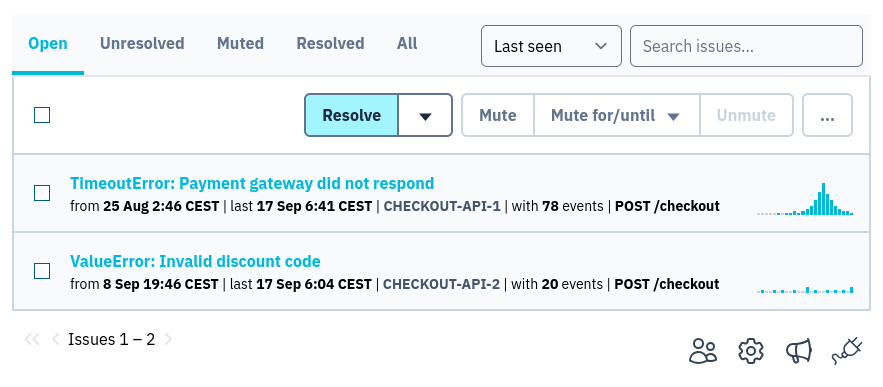
What is bugsink?
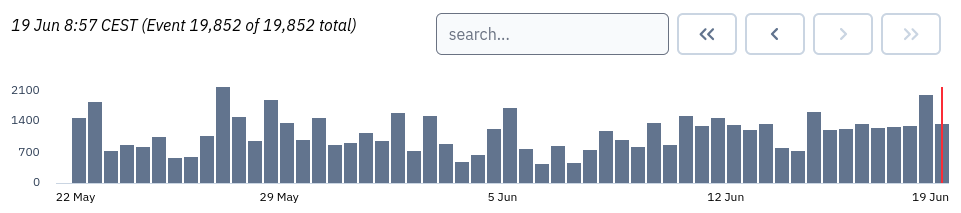
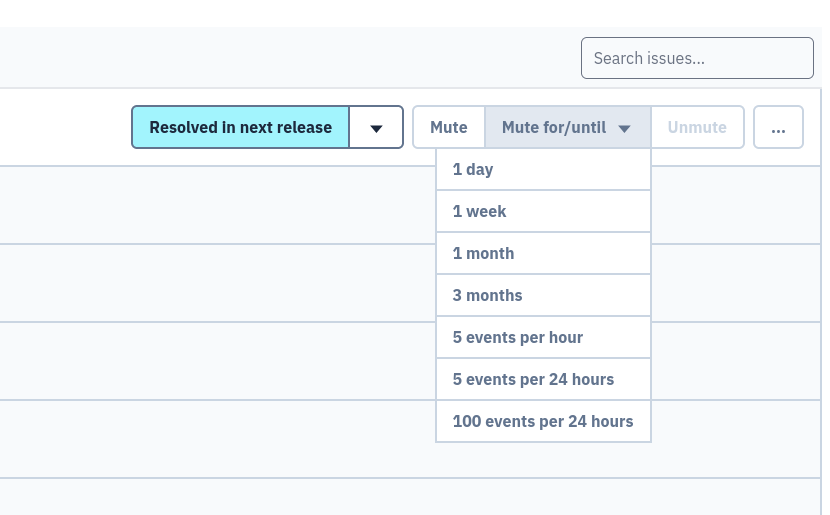
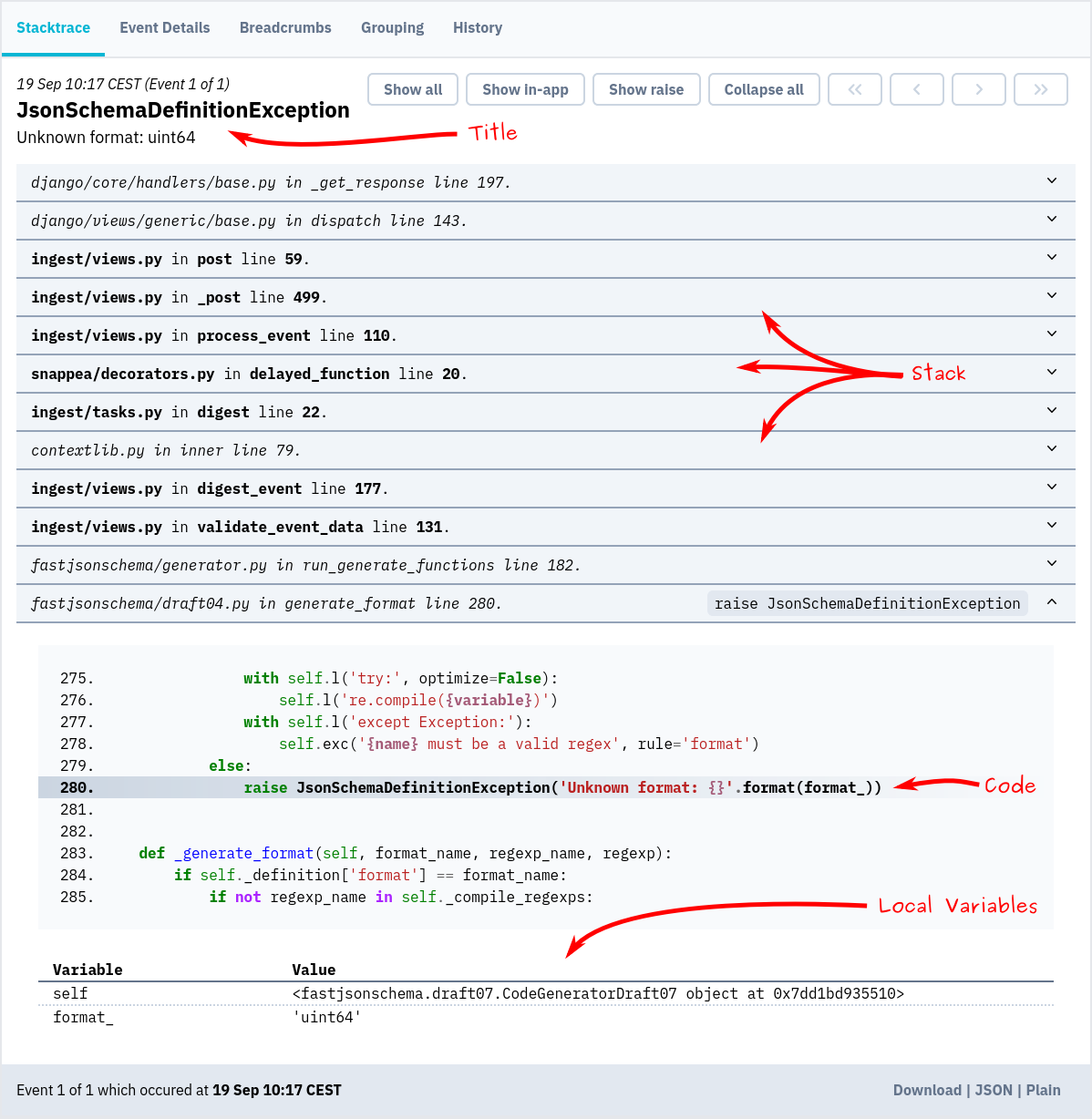
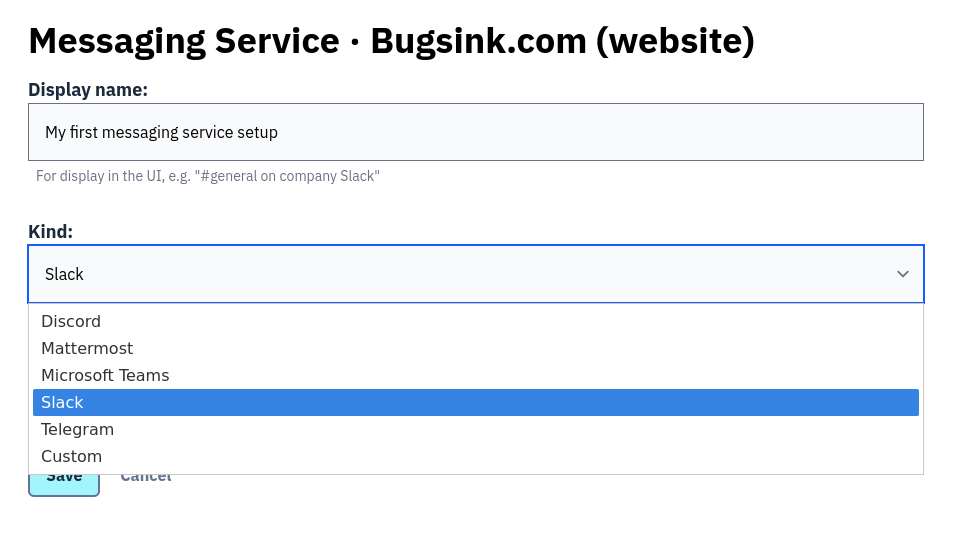
Bugsink is an error-tracking server for developers, and because it speaks the Sentry SDK protocol, migrating mostly means repointing an existing DSN at your own instance. Incoming events are clustered into issues, each shown with its traceback, surrounding source lines and captured local variables, and triaged via event counts, 24-hour trend sparklines and tag queries. Issues can be resolved, reopened or muted by time or by volume, while alerts leave through email, chat services such as Slack, Discord, Mattermost, Teams and Telegram, or a custom HTTP endpoint. Organize work across teams and projects, attach sourcemaps, track releases, and cap ingestion and retention to suit your hardware; there is also a canonical REST API next to the Sentry-compatible one. Self-hosting is free and includes every feature: pull the bugsink/bugsink container image, use the supplied compose sample, install inside a Python virtualenv, or follow the single-server production guide with Nginx and Gunicorn. Its database is SQLite by default, with MySQL and PostgreSQL also supported. The code is source-available under the PolyForm Shield terms rather than OSI open source, the company behind it sells managed instances and support tiers, and the installation reports basic usage data home unless you turn PHONEHOME off.
bugsink alternatives
 RustrakRustrak is a self-hosted, open-source error tracker compatible with Sentry SDKs. Change one config line to send data to your own infrastructure.CompareRustrak with bugsink
 Sentry Self-HostedSelf-hosted Sentry: the error monitoring platform as a Docker Compose stack of web, workers, Kafka, ClickHouse and PostgreSQL, aimed at low-volume deployments.CompareSentry Self-Hosted with bugsink
 BugzillaOpen-source self-hosted web bug tracker from the Mozilla community, with advanced search, time tracking, custom workflows, email-in bug filing and LDAP login.CompareBugzilla with bugsink
 crikketSelf-hosted bug reporting tool capturing screenshots, video, console logs, and network requests with shareable links and team workspaces. Alternative to jam.dev.Comparecrikket with bugsink
 sentrySelf-hosted error tracking and APM platform for developers to detect, trace, and fix production issues. Open-source under Fair Source license.Comparesentry with bugsink
 monoscopeOpen-source, self-hosted observability that keeps logs, metrics and traces in your own S3 buckets, with plain-English queries, scheduled AI agents and session replay.Comparemonoscope with bugsink
 corootSelf-hosted, open-source APM and observability platform where eBPF agents capture every telemetry signal without code changes, with service maps and SLO alerting.Comparecoroot with bugsink
 Mantis Bug TrackerMantis Bug Tracker (MantisBT)CompareMantis Bug Tracker with bugsink
Should you self-host bugsink?
bugsink scores 57/100 on selfhost.directory (how scoring works) and ranks #4 of 5 in Error Tracking. It has 2 181 GitHub stars, +64 in the last 30 days.
It shipped 19 stable releases in the past year. The latest, 2.6.3, came out on 6 November 2026. New versions land roughly every 2 weeks.
Setup is easy: most people get it running in one sitting. An official Docker image is available. It is Other-licensed and written mostly in Python.
Its closest alternative on selfhost.directory is Healthchecks (73/100, 10 516 stars). It scores higher overall, so compare the two before you pick. See bugsink vs Healthchecks side by side.
Features
- Alerts (email & chat)
- Custom webhook alerts
- Event retention controls
- Ingestion rate limits
- Issue grouping
- Issue muting
- Issue resolution workflow
- Release tracking
- REST API
- Role-based permissions
- Single-User Mode
- Sourcemaps support
- Stack trace with local variables
- Teams and projects
- Triage: search & trends
bugsink README
More in Error Tracking
 highlightSelf-hosted open-source monitoring platform combining session replay, error monitoring, logging and distributed tracing, with Docker deployment and dozens of client SDKs.
 measureAn open-source crash reporting and mobile performance monitoring platform with session replays, self-hosted via Docker Compose on a Linux VM.
- RustrakRustrak is a self-hosted, open-source error tracker compatible with Sentry SDKs. Change one config line to send data to your own infrastructure.
- sentrySelf-hosted error tracking and APM platform for developers to detect, trace, and fix production issues. Open-source under Fair Source license.
- Sentry Self-HostedSelf-hosted Sentry: the error monitoring platform as a Docker Compose stack of web, workers, Kafka, ClickHouse and PostgreSQL, aimed at low-volume deployments.
 swetrixOpen-source, cookieless Google Analytics alternative: privacy-first traffic stats plus error tracking, performance monitoring and self-hosted session replays.
 trackxTrackX is a self-hosted, open-source error tracking platform for capturing JavaScript errors in browsers and Node.js with a real-time dashboard. Uses SQLite.
0 comments