
Self-host Backrest
v1.14.1Web UI and scheduler for restic backups
curl -fsSL https://raw.githubusercontent.com/garethgeorge/backrest/main/install.sh | bash- Stars
- 7 866
- Port
- 9898 (Web UI and API (default bind 127.0.0.1:9898; 0.0.0.0:9898 in the Docker images))
ghcr.io/garethgeorge/backrest
What is Backrest?
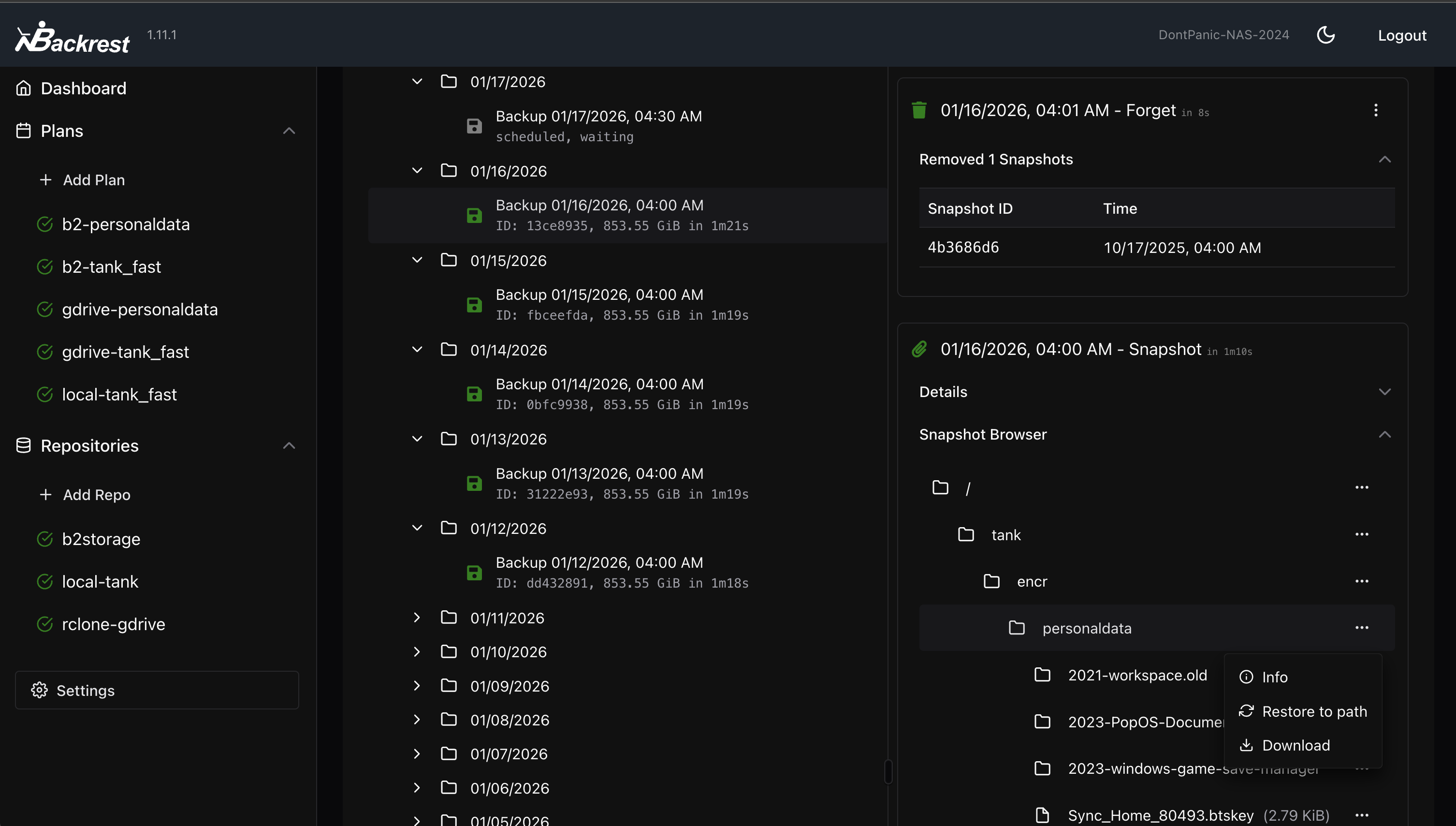
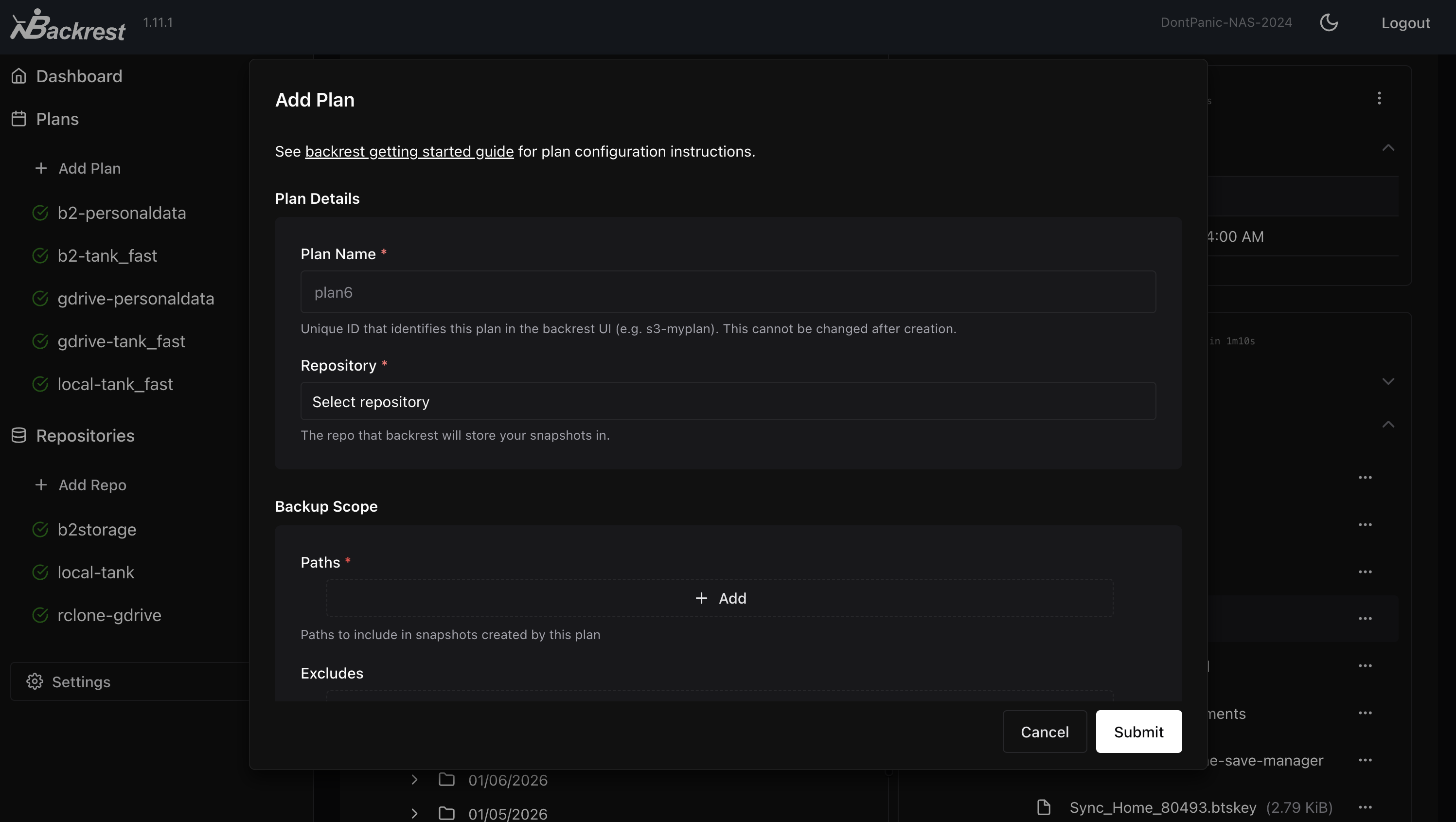
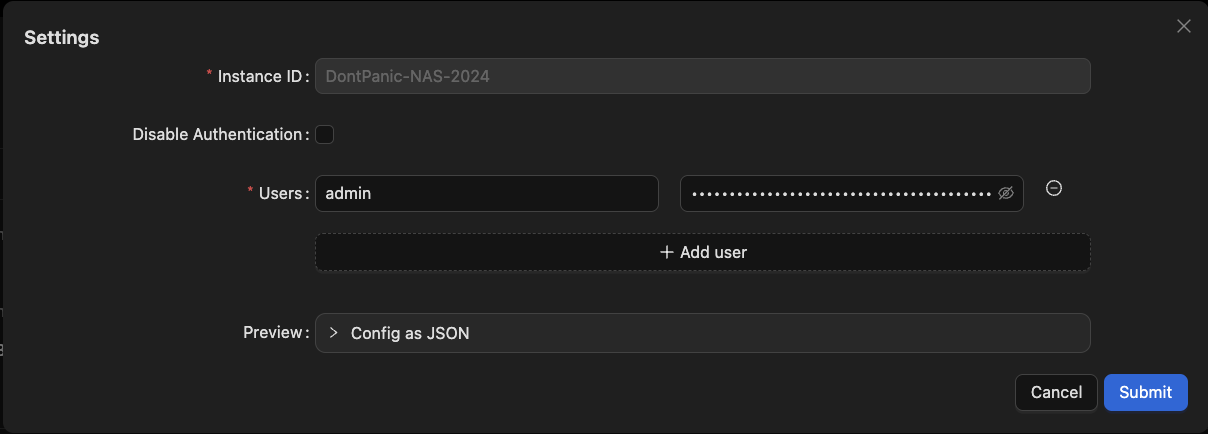
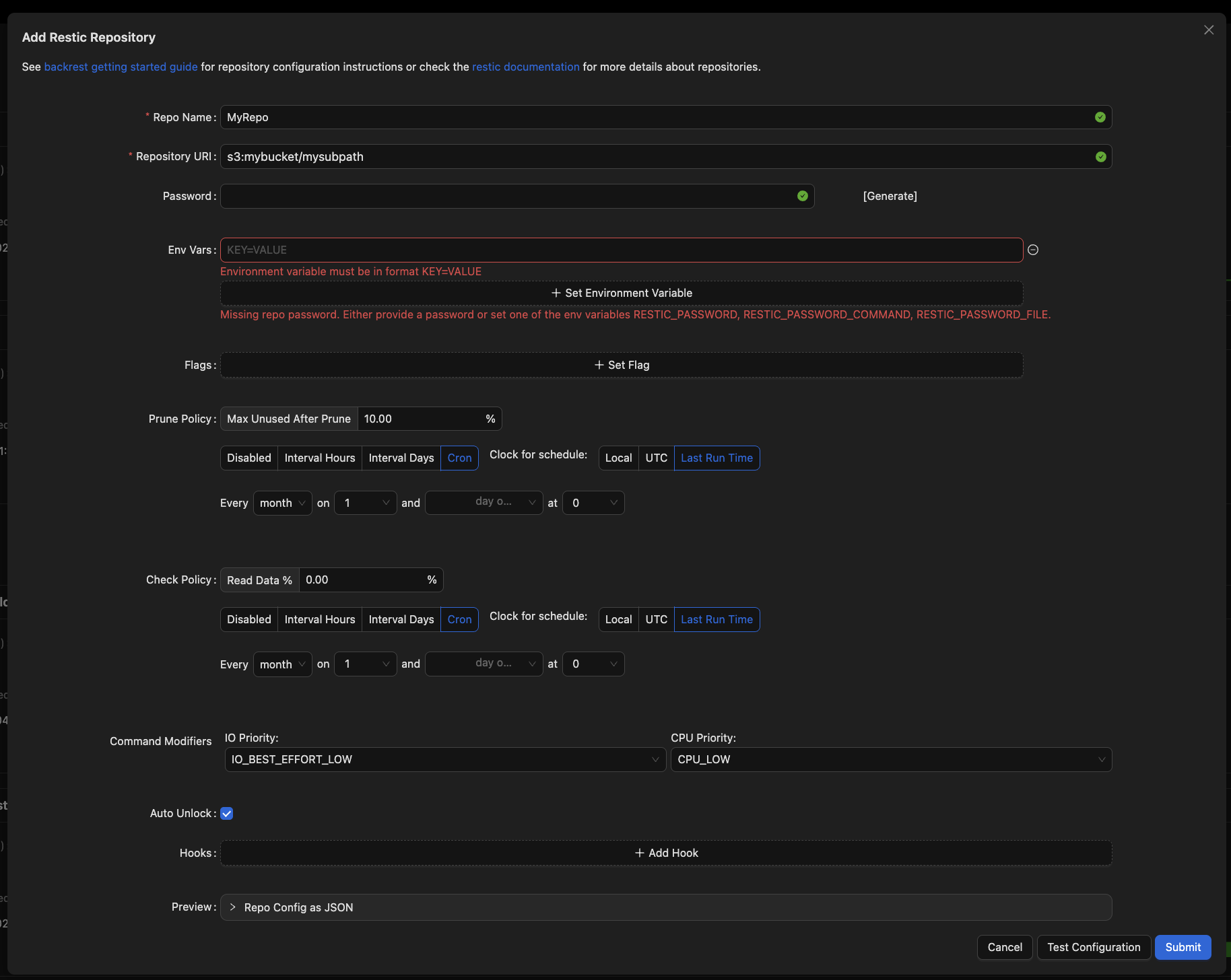
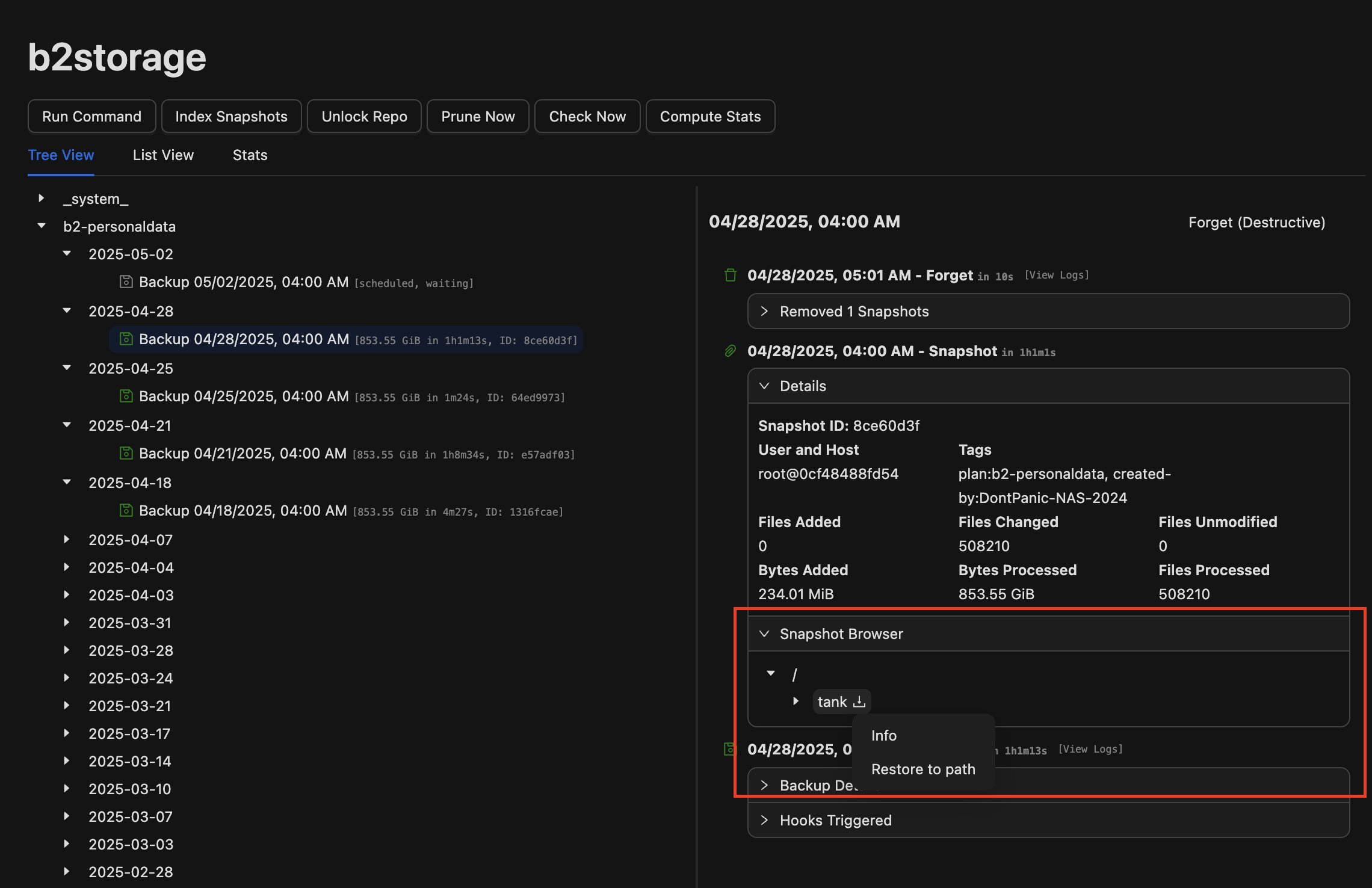
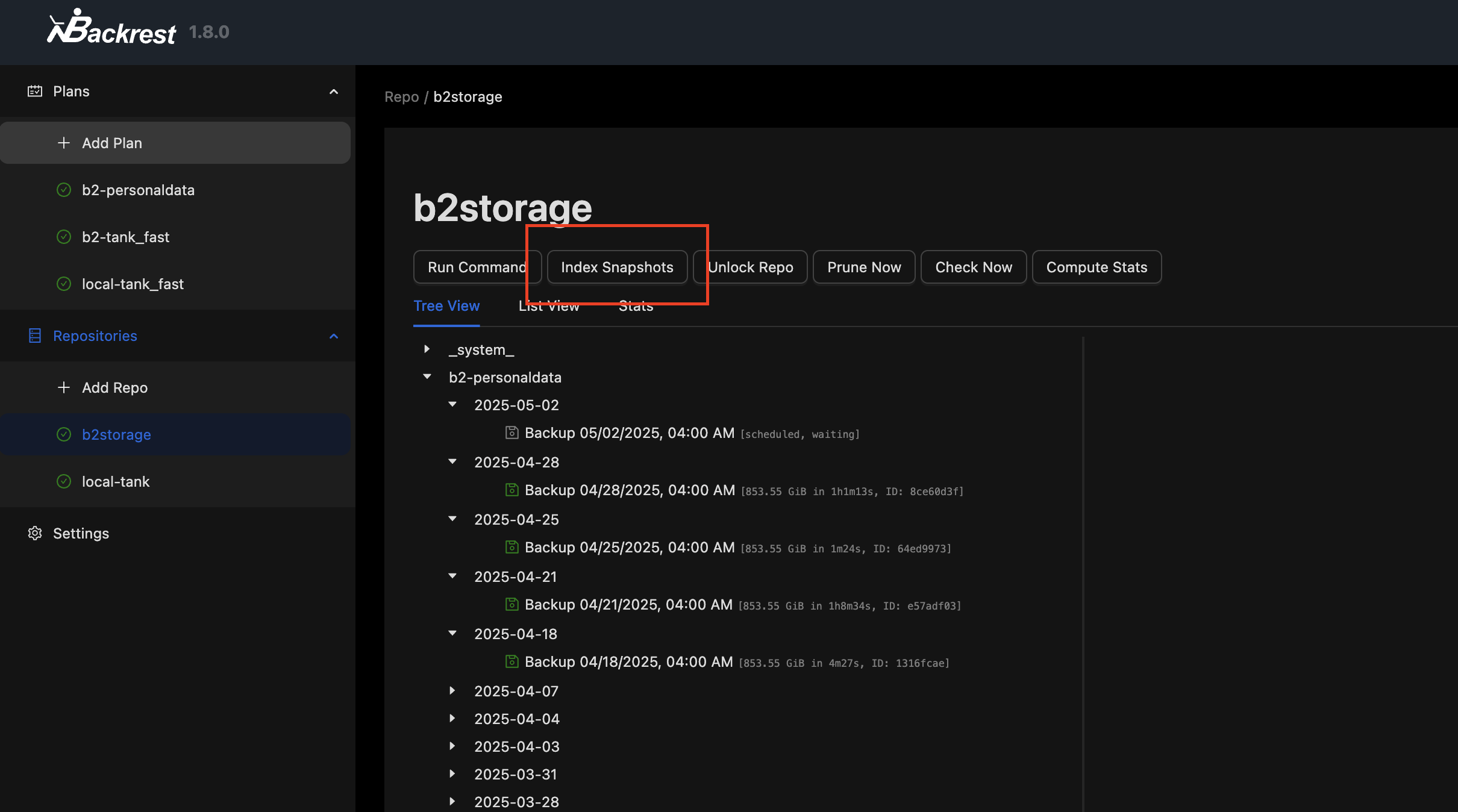
Backrest is a self-hosted backup tool that puts a web interface on top of restic. The WebUI wraps the restic command so you can create or import repositories, browse snapshots, and restore files, while the service also runs in the background scheduling snapshot creation and repo upkeep such as prune, check, and forget. Backup plans support cron or interval schedules, path excludes, and count- or time-based retention; lifecycle hooks let shell commands fire before and after operations, including notification delivery to Discord, Slack, Shoutrrr, Gotify, or Healthchecks. Destinations cover every backend restic handles — object storage providers, local disks, SFTP, and rclone remotes. A multihost mode syncs configuration and operation history between instances so one server can monitor or manage backups across many machines, and a limited HTTP API (a gRPC service exposed through a JSON gateway) can trigger plans or read operation logs. Backrest ships as a single Go binary installed via a curl script, Docker images, Homebrew, the AUR, or a Windows installer; restic itself is its only dependency and is fetched automatically when needed. The UI listens on port 9898 and prompts for a username and password on first launch, though auth can be turned off for local setups behind an authenticating proxy.
Backrest alternatives
 gitbackerA self-hosted tool that automatically backs up git repositories from any host with encryption and lets you restore snapshots after reviewing changes.Comparegitbacker with Backrest
 BackAppBackApp is a self-hosted, open-source backup automation tool with a React web UI that schedules and inspects remote server backups over SSH.CompareBackApp with Backrest
 resticprofileProfile-based automation for restic backups. Create profiles, schedule via systemd/cron/launchd/Windows Scheduler, export Prometheus metrics, send webhooks.Compareresticprofile with Backrest
 arkeepArkeep is an open-source, self-hosted backup management platform with a web dashboard for Restic/Rclone backups across multiple servers.Comparearkeep with Backrest
 borg-uiSelf-hosted web UI for Borg Backup that replaces terminal commands with a modern interface for creating, scheduling, and restoring backups.Compareborg-ui with Backrest
 ZerobyteOpen-source, self-hosted backup automation built on Restic: cron schedules, encrypted S3/GCS/Azure/rclone repositories, file-level restores and alerts from a web UI.CompareZerobyte with Backrest
 borgbackupserverSelf-hosted web UI that centrally manages encrypted Borg backups on Linux, Windows, and macOS via agents that poll over HTTPS and push data over SSH.Compareborgbackupserver with Backrest
 BorgitoryA self-hosted web dashboard for BorgBackup that adds scheduling, monitoring, archive browsing, and Rclone-based cloud sync.CompareBorgitory with Backrest
Should you self-host Backrest?
Backrest scores 70/100 on selfhost.directory (how scoring works) and ranks #5 of 46 in Backup. It has 7 865 GitHub stars, +397 in the last 30 days.
It shipped 8 stable releases in the past year. The latest, v1.14.1, came out on 12 July 2026. New versions land roughly every 2 weeks.
Setup is easy: most people get it running in one sitting. An official Docker image is available. It is GPL-3.0-licensed and written mostly in Typescript.
Its closest alternative on selfhost.directory is Restic (82/100, 37 093 stars). It scores higher overall, so compare the two before you pick. See Backrest vs Restic side by side.
Features
- Backup notifications
- Command hooks
- Cron-scheduled backups
- Direct restic CLI access
- Disable authentication
- HTTP API
- Import existing repositories
- Integrity checks
- Multihost sync
- Retention Policies
- Snapshot browse and restore
- Web UI for backup management
Backrest README


Overview
Backrest is a web-accessible backup solution built on top of restic. Backrest provides a WebUI which wraps the restic CLI and makes it easy to create repos, browse snapshots, and restore files. Additionally, Backrest can run in the background and take an opinionated approach to scheduling snapshots and orchestrating repo health operations.
More in Backup
 BackupPCBackupPC is a self-hosted, open-source backup server that deduplicates and compresses backups from Linux, Windows, and macOS clients to a central disk with a web UI.
 bareosOpen-source, cross-platform network backup and recovery suite (a Bacula fork) with Director/File/Storage daemons, PostgreSQL catalog, tape, S3 and a web UI.
 barmanSelf-hosted, open-source disaster-recovery tool for PostgreSQL: remote backups, WAL archiving, point-in-time recovery, incremental, encrypted and cloud backups.
 BeeCount CloudSelf-hosted sync cloud for BeeCount personal accounting app with real-time multi-device sync, shared ledgers, AI bookkeeping, and encrypted backup.
 BichonSelf-hosted, open-source email archiver written in Rust that pulls mail over IMAP or OAuth2, indexes it for full-text search, and serves a WebUI and REST API.
- borgbackupserverSelf-hosted web UI that centrally manages encrypted Borg backups on Linux, Windows, and macOS via agents that poll over HTTPS and push data over SSH.
- BorgitoryA self-hosted web dashboard for BorgBackup that adds scheduling, monitoring, archive browsing, and Rclone-based cloud sync.
- borg-uiSelf-hosted web UI for Borg Backup that replaces terminal commands with a modern interface for creating, scheduling, and restoring backups.
 borgwarehouseBorgWarehouse is a self-hosted, open-source web UI to provision and monitor BorgBackup repositories, handle SSH access and quotas, and send backup alerts.
 burpBurp is a self-hosted, open-source network backup program with client-server model, delta differencing, Windows VSS, SSL encryption, and flexible retention.
 databasementDatabasement is a self-hosted, open-source database backup manager: register MySQL, PostgreSQL, MongoDB, Redis and more, schedule backups, and restore.
 DatabasusSelf-hosted open-source backup tool for PostgreSQL (also MySQL, MariaDB and MongoDB) with point-in-time recovery, restore verification, encrypted archives and S3 storage.
0 comments