
Self-host ArcReel
v0.37.0Agent-driven AI video studio from novel to final cut
docker compose up -d- Stars
- 6 609
- Port
- 1241 (Web UI and API; the default Compose maps "1241:1241" and health-checks GET /health on it)
arcreel/arcreel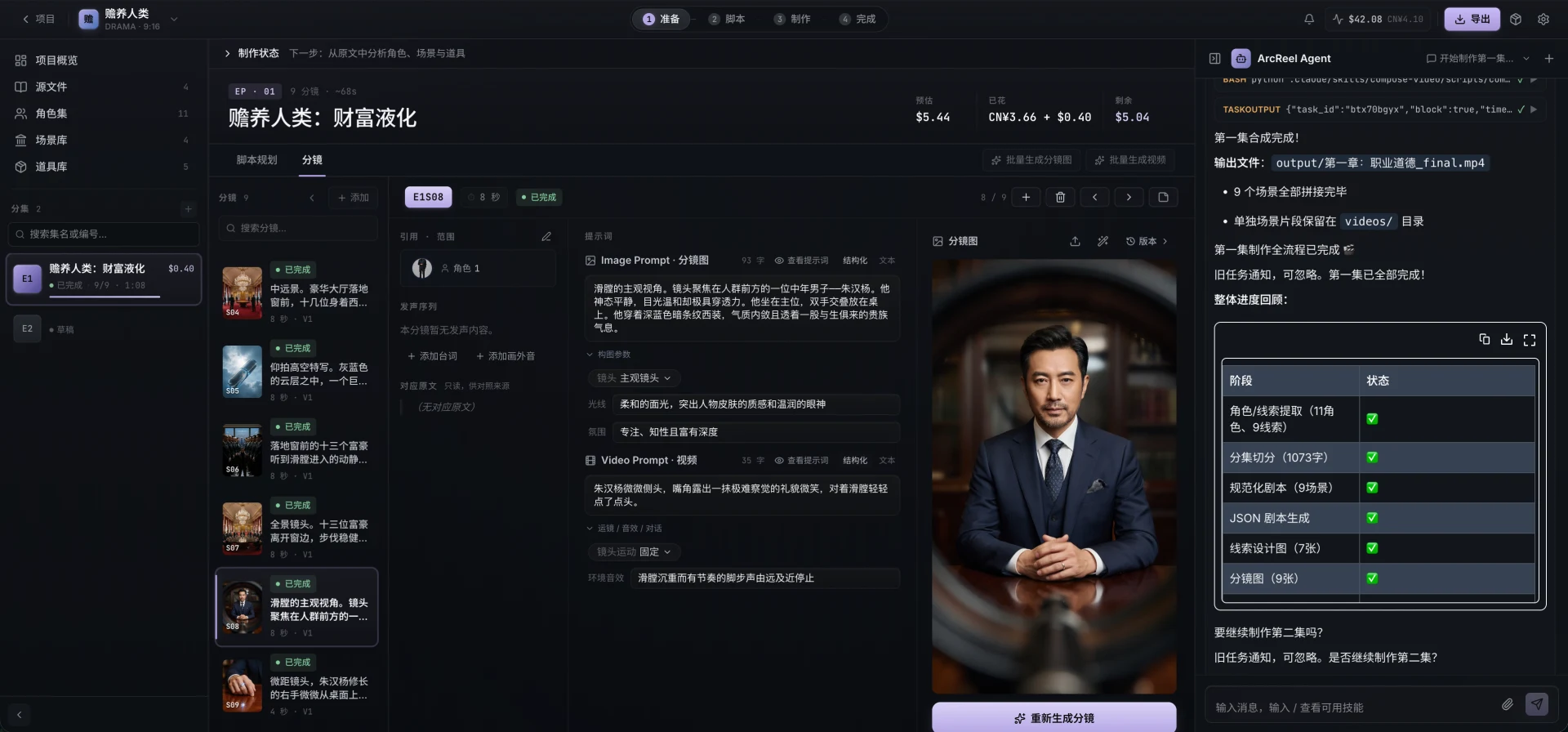
What is ArcReel?
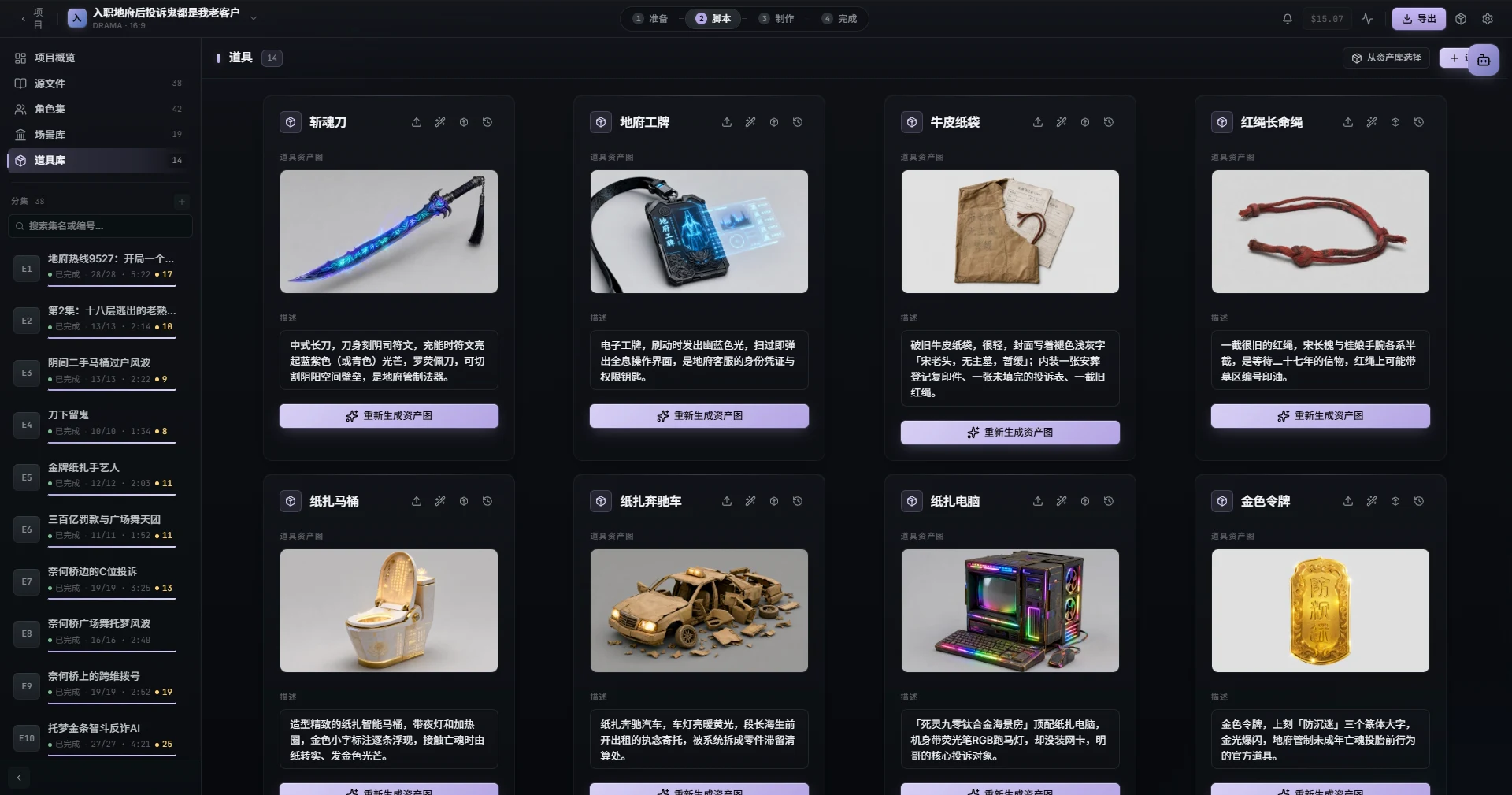
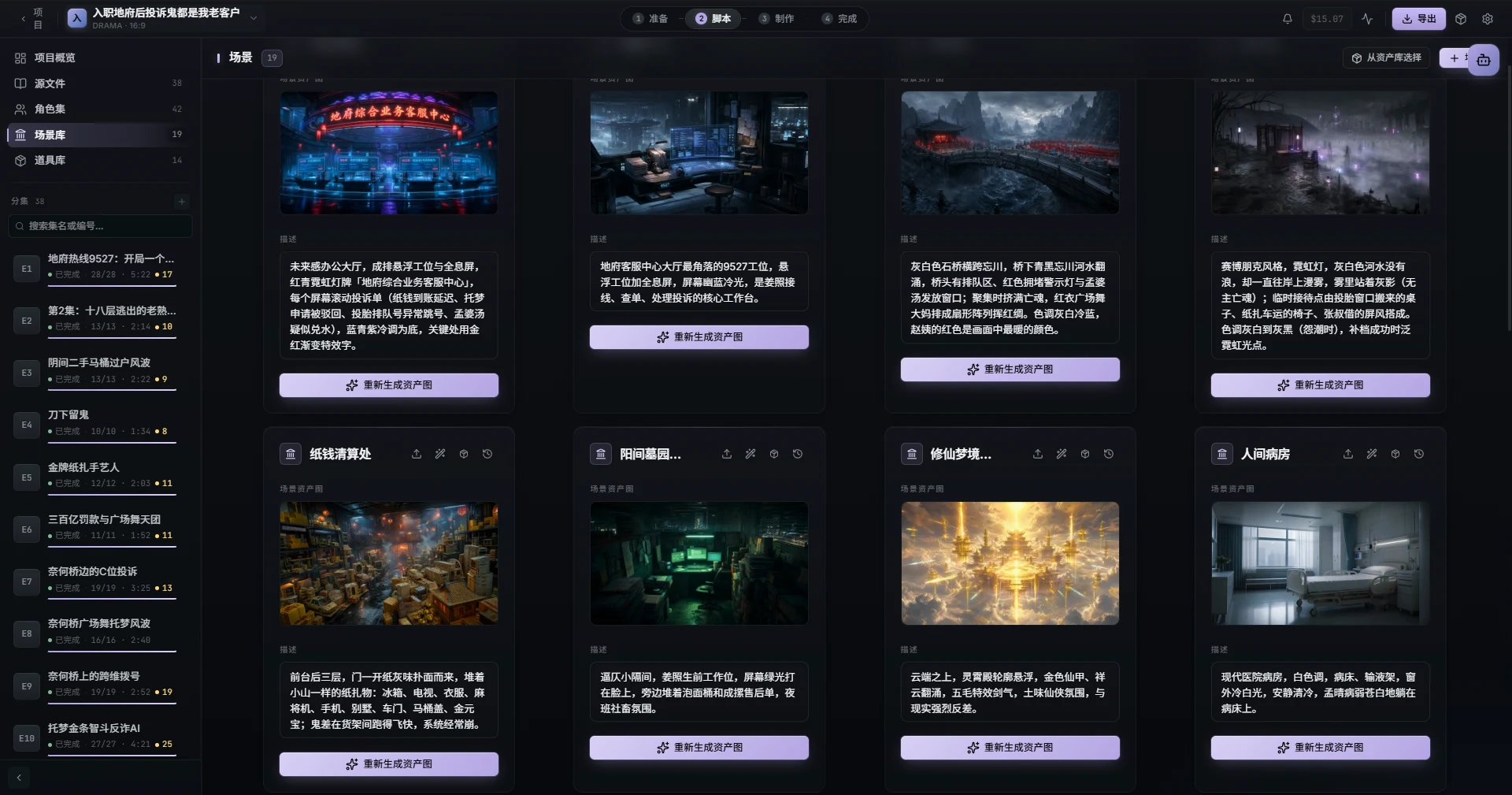
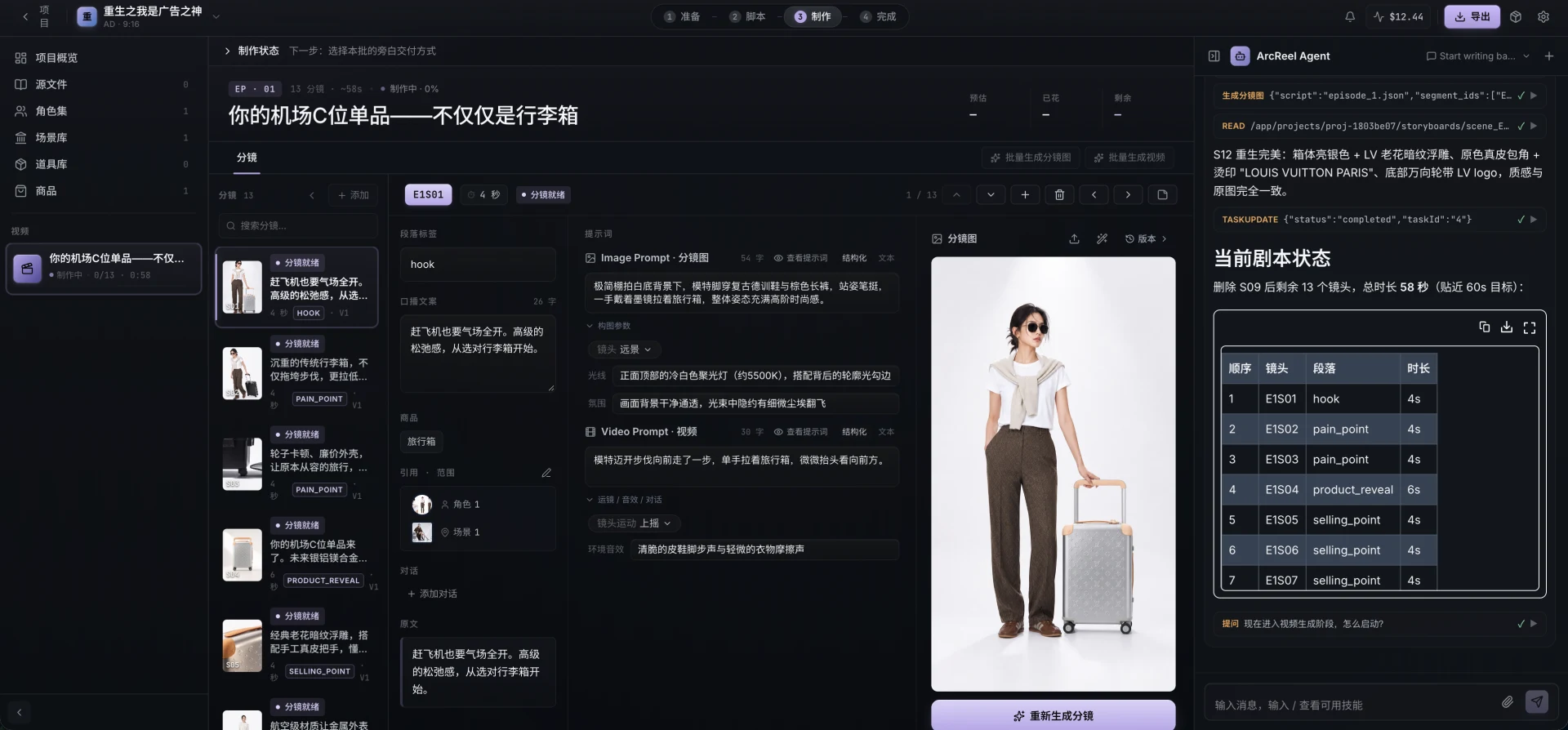
ArcReel is an open-source production workspace for short-form AI video — animated serials and novel adaptations, narrated recap clips, and product or ad shorts — built for creators who want to run the whole pipeline on their own machine. An agent layer based on the Claude Agent SDK reads the source material, extracts character, scene and prop assets, proposes episode splits, writes structured scripts, and then drives storyboard images and video clips, while you approve each stage in the web workbench and can interrupt or resume at any point. Reference images from the asset library are reused shot after shot so characters, props and locations stay consistent, and every regeneration is archived so results can be compared side by side or rolled back. Model access is decoupled from the workflow: agent, text, image, video and speech capabilities are configured separately, either globally or per project, with price multipliers, estimates before a batch is submitted and recorded usage afterwards. Episodes can be composited into a final cut with the bundled FFmpeg or exported as Jianying draft packages for manual finishing; CapCut compatibility is not verified. You run it with Docker Compose from the deploy/ directory of the repository, which serves the app on port 1241 from the arcreel/arcreel image, with SQLite by default and a PostgreSQL compose variant recommended for long-running use. Notable limits: it is designed around a single trusted operator rather than mutually untrusted shared users, all generation cost is paid to your upstream providers, and a native mobile app does not exist.
ArcReel alternatives
 FlyReq Image StudioFlyReq Image Studio is a self-hosted, open-source AI image and video generation workspace with multi-model support, infinite canvas, agent mode, and PWA.CompareFlyReq Image Studio with ArcReel
 app.enfugue.aiSelf-hosted open-source web app for studio-quality AI image/video generation with Stable Diffusion, unified pipeline, CivitAI browser, optional auth, and JSON API.Compareapp.enfugue.ai with ArcReel
 HiveMtkSelf-hosted AI marketing SCRM unifying 10+ channels with ReAct agents (45 tools) and local LLM inference. Zero data egress, AGPL-3.0 licensed.CompareHiveMtk with ArcReel
 GuaardvarkSelf-hosted AI studio on your own GPU: chat with your files (RAG), screen and browser agents, coding swarms, LoRA training, an MCP server for Claude Code and Cursor, and local video, image, music and voice generation. No telemetry.CompareGuaardvark with ArcReel
 reflyThe first open-source agent skills builder. Define skills by vibe workflow, run on Claude Code, Cursor, Codex & more. Build Clawdbot 🦞· APIs for Lovable · Bots for Slack & Lark/Feishu · Skills are infrastructure, not prompts.Comparerefly with ArcReel
 Big-AGISelf-hosted, open-source AI workspace for experts: run 2 to 24 models in parallel with Beam, personas, image generation, voice and BYO API keys via Docker.CompareBig-AGI with ArcReel
 sdnextSelf-hosted, open-source Stable Diffusion web UI to generate, caption, upscale and edit images and video, with many GPU backends and model quantization for low VRAM.Comparesdnext with ArcReel
 maxkbSelf-hosted, open-source AI agent platform: build RAG knowledge-base chatbots, orchestrate workflows with MCP tools, and embed Q&A into your own apps.Comparemaxkb with ArcReel
Should you self-host ArcReel?
ArcReel scores 71/100 on selfhost.directory (how scoring works) and ranks #4 of 12 in Video. It has 6 609 GitHub stars, +985 in the last 30 days.
It shipped 13 stable releases in the past year. The latest, v0.37.0, came out on 16 November 2026. New versions land roughly every 6 days.
Setup is moderate: expect some configuration beyond a single command. An official Docker image is available. It is AGPL-3.0-licensed and written mostly in Python.
Its closest alternative on selfhost.directory is cap (80/100, 25 146 stars). It scores higher overall, so compare the two before you pick. See ArcReel vs cap side by side.
Features
- Agent-orchestrated video pipeline
- Async task queue with rate limiting
- Cost and usage tracking
- Cross-shot character consistency
- Custom provider endpoints
- FFmpeg final cut rendering
- Human review gates
- Jianying draft exportTargets the mainland-China Jianying build; compatibility with CapCut is not verified.
- MCP endpoint for external agents
- Multi-provider AI model support
- Project import and exportProject ZIPs do not carry global provider settings, login config, task or cost records, or agent sessions.
- REST API
- Storyboard generation
- Text-to-speech narrationIn the current web UI the standalone TTS narration is only available for the narration/commentary project type.
- Version history and rollback
ArcReel README

FAQ
How do I choose the creation type and generation mode, and can they be changed later?
Creation type (narration, drama, or ad/short) shapes how the script is organised, and generation mode (storyboard-image-to-video or reference-to-video) decides whether clips come from storyboard images or asset references. Both are fixed once the project is created; multi-grid storyboards are an image method inside the storyboard mode.
Why does generation still fail when the connection check passed?
The connection check only validates credentials, network and model discovery and does not run a real paid generation, so it cannot cover generation permissions, balance, concurrency, reference-image or duration limits, or async polling. Look at the upstream status code on the failed task.
What if model listing fails or returns model_not_found?
Use the exact published model ID rather than the display name, make sure Base URL, region and key match, confirm the account has that model and media type enabled, and check that a project-level override is not still pointing at an old model.
How do I add a custom provider?
Add the Base URL, API key and a model-discovery protocol in settings, fetch the model list, then confirm each model's media type and call endpoint before enabling it as a global or project default. Discovery only lists models and does a basic connectivity check; real calls use each model's configured endpoint.
How should the Base URL be filled in?
Prefer preset providers so the built-in address is used; for a custom provider give the protocol root from the vendor's API docs rather than a console page, and do not append the same /v1 or /v1/messages suffix blindly. A 404 usually means the discovery protocol, region or API root is wrong.
Which providers and models are supported?
Support is whatever the settings page currently lists, and a supported provider does not mean all of its models, regions or input forms work. Image, video, text and speech abilities such as reference images, last frame, duration and resolution are decided per model.
What do 'Failed to start Claude Code' or control request timeouts mean?
They mean the agent process did not start or finish initialising, not that script content is wrong. Check that an agent credential is active with the exact model ID, that the container can reach the agent API, and that the sandbox passed its startup checks.
How do I make the agent start or continue production?
Open the agent panel on the right side of a project and tell it to start or continue; it checks project state, resumes at the unfinished stage and waits for confirmation when scripts, assets or storyboards need review.
Which credentials do I need before producing anything?
Agent provider credentials and generation provider credentials are configured separately: one drives conversation and orchestration, the other supplies text, image, video and speech. Configuring one does not automatically give you the other.
Where are projects and configuration stored, and how do I back them up?
The compose directory holds projects/ as the data root (projects, media assets, default SQLite database, logs, Vertex credentials) plus .env and claude_data/. A real backup covers the data root and, for the production deployment, the PostgreSQL database.
How do I update with Docker, and will projects be lost?
Back up first, then run docker compose pull and docker compose up -d in the same compose directory; startup migrations run automatically and mounted data is not deleted. Downgrades are unsupported, so returning to an older version means restoring a backup.
What is the login account, and how do I reset a forgotten password?
The username and password come from AUTH_USERNAME and AUTH_PASSWORD in .env, and an empty password is generated and written back on first start. To reset, edit AUTH_PASSWORD and recreate the container so the environment reloads.
What if the container won't start or keeps restarting?
Run docker compose ps and docker compose logs in the compose directory you actually use, then check Docker health, port 1241 conflicts, whether .env is readable, sandbox errors, and whether provider API keys were wrongly put in .env. Do not switch the container to privileged mode to get past sandbox errors.
What install method is recommended, and does Windows work natively?
Regular users should use Docker on Linux, macOS, WSL2 or Docker Desktop by cloning the repo and running docker compose up -d from deploy/. Windows can run basic flows, but the agent sandbox is degraded there.
What should I know about capability limits before starting?
Media generation depends on third-party model services, so speed, availability, content policy and cost follow the provider, and long works still need human review of episode splits, assets and plot points. A POSIX-like host is preferred and production setups should use PostgreSQL, HTTPS, strong passwords and backups.
More in Video
 capCap is a self-hosted, open-source screen recorder for Mac and Windows with instant shareable links, local editing, AI transcriptions, and full data ownership.
 Cartoon StudioOpen-source desktop app for creating 2D animated cartoons — write scripts, generate voices, animate SVG characters with lip-sync, render to MP4 locally.
 ChannelHoarderSelf-hosted, open-source tool that watches channels on multiple video sites and saves new uploads in a Plex-friendly layout with a modern web UI.
 ClipShareClipShare is a self-hosted, open-source screen recorder built with Electron that uploads recordings directly to S3-compatible storage without a backend server.
 ComfyUISelf-hosted, open-source AI engine for visual creators with a node-based workflow system covering images, video, 3D, audio, and text.
 DigiviewSelf-hosted, open-source YouTube viewer that hides ads and YouTube's interface, letting teachers trim clips, edit titles and add tasks, with QR sharing and embed codes.
 DramaClawSelf-hosted AIGC video engine that turns scripts into finished films with an infinite canvas, built-in agent, and model-neutral gateway for creators and indie studios.
 GoltyGolty is a self-hosted, open-source tool that automatically downloads YouTube channels and playlists on a schedule, with a simple web dashboard.
 hometubeSelf-hosted, open-source video downloader for 1800+ platforms. Strips sponsors via SponsorBlock, organizes files for Plex, Jellyfin, Emby. Single Docker container.
 HyCanvasFree, open-source, self-hosted design platform for graphics, presentations, videos, whiteboards, docs, sheets — every feature included, no watermarks.
- Icecast 2Icecast is a free server software for streaming multimedia, supporting Ogg (Vorbis and Theora), Opus, WebM, and MP3 streams. It can be used to create an Internet radio station or a privately running jukebox.
 InvidiousOpen-source AGPL front-end for YouTube: watch without ads, tracking or JavaScript, with own subscriptions, playlists and a REST API; runs via Docker and PostgreSQL.
0 comments