
Self-host Answer
v2.0.3Open-source Q&A forum and help center for teams
docker run -d -p 9080:80 -v answer-data:/data --name answer apache/answer:latest- Stars
- 15 713
- Port
- 80 (HTTP port Answer listens on (config.yaml server.http.addr 0.0.0.0:80, INSTALL_PORT default); the Docker/Compose examples publish it as host port 9080)
apache/answer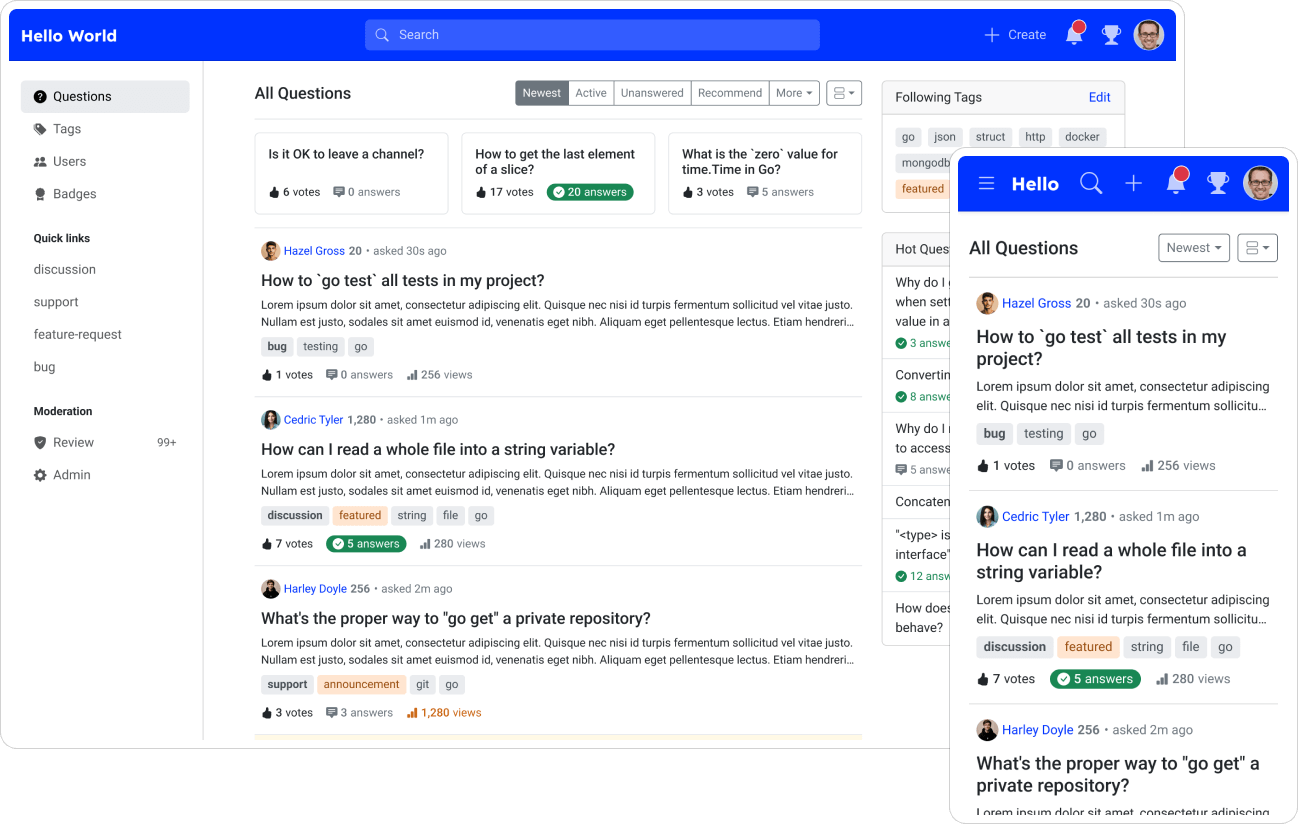


What is Answer?
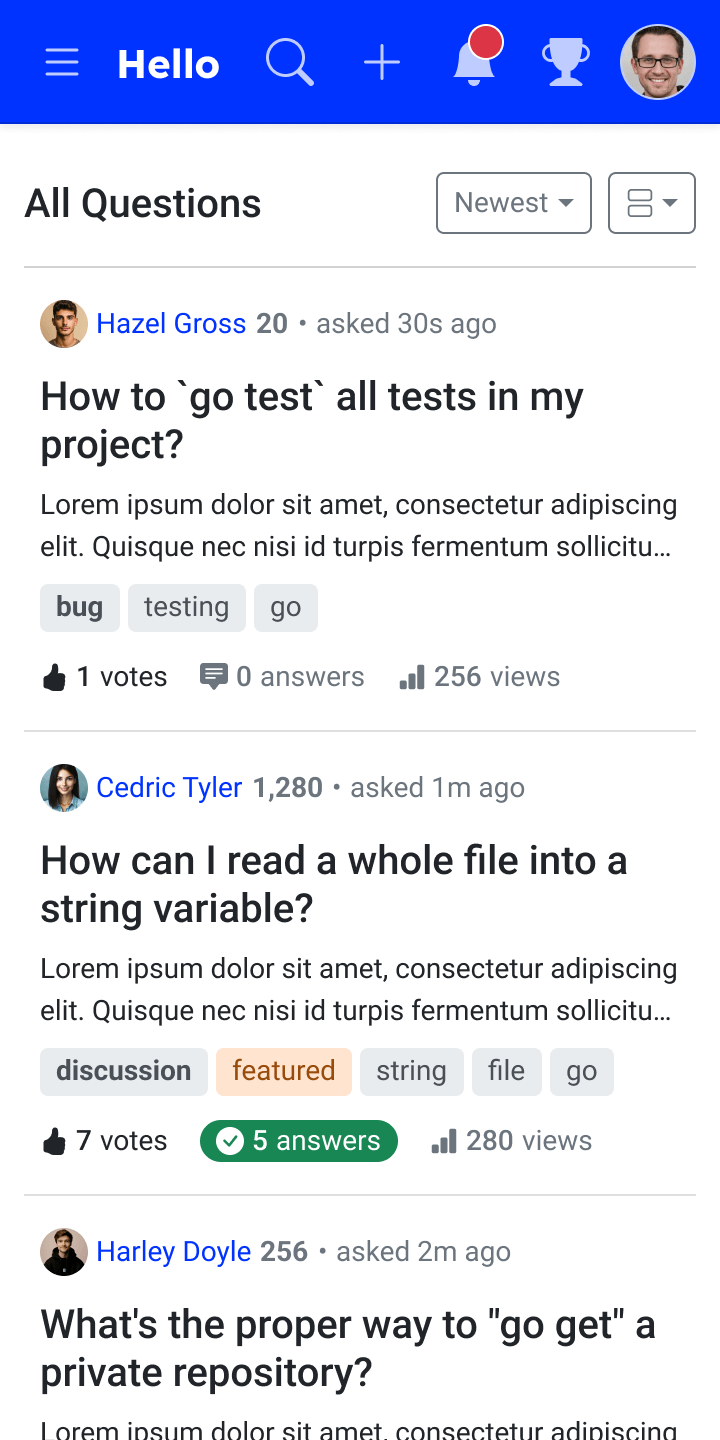
Apache Answer is a question-and-answer platform you run on your own server to build a community forum, a help center or an internal knowledge base for a team of any size. Questions and answers are written in Markdown with side-by-side live preview, organised through tags, and ranked by voting and a reputation system that unlocks privileges. Moderation is built in: admin, moderator and user roles, bulk user creation, open editing with transparent revision history, flags and review workflows, plus controls over registration, login methods, allowed email domains and content visibility. Community translation packs make it multilingual, the layout adapts to phones, and a dark mode is included. Functionality extends through a plugin system covering third-party login, notification services, spam review, cache, search engines, storage and editors. You install it with Docker Compose, a single Docker command, or a downloaded Go binary (answer init then answer run), backed by SQLite, MySQL or PostgreSQL; the web UI is served on port 80 in the container, published as 9080 in the examples.
Answer alternatives
 TalkyardSelf-hosted open-source community platform combining forum, chat, Q&A, and blog comments — alternative to StackOverflow, Slack, Discourse, Reddit, Disqus.CompareTalkyard with Answer
 question2answerSelf-hosted Q&A software in PHP/MySQL with voting, reputation, categories, tags, plugins, themes, and WordPress/Joomla integration.Comparequestion2answer with Answer
 ScooldSelf-hosted, open-source Q&A platform and team knowledge base with voting, full-text search, LDAP and OAuth2 login, run in Docker next to a Para backend.CompareScoold with Answer
 MisagoSelf-hosted, open-source internet forum with nested categories, moderation and permissions, polls, private threads and 50+ social sign-ins.CompareMisago with Answer
 qpixelOpen-source, self-hosted Q&A and community forum in Rails: one installation hosts many communities, each with categories, post types, voting and activity-based abilities.Compareqpixel with Answer
 quackbackQuackback is a self-hosted, open-source customer feedback platform with boards, roadmap, changelog, chat, help center, and status page.Comparequackback with Answer
 DiscourseDiscourse is a self-hosted, open-source community forum platform with built-in real-time chat, theming, and plugins. Powers 22,000+ communities with full data ownership.CompareDiscourse with Answer
 storydenSelf-hosted open-source forum and knowledge library for communities to own their conversations and data with optional AI features.Comparestoryden with Answer
Should you self-host Answer?
Answer scores 71/100 on selfhost.directory (how scoring works) and ranks #5 of 75 in Social Networks & Forums. It has 15 713 GitHub stars, +21 in the last 30 days.
It shipped 5 stable releases in the past year. The latest, v2.0.3, came out on 22 September 2026. New versions land roughly every 2 months.
Setup is easy: most people get it running in one sitting. An official Docker image is available. It is Apache-2.0-licensed and written mostly in Go.
Its closest alternative on selfhost.directory is Mastodon (84/100, 50 587 stars). It scores higher overall, so compare the two before you pick. See Answer vs Mastodon side by side.
Features
- Advanced search
- Bulk user creation
- Content access control
- Markdown editor with live preview
- Multilingual interface
- Notifications
- Plugin System
- Question and answer threads
- Reputation system
- REST API
- Revision History
- Role-based Access Control
- Tagging System
- Themes and layout customization
- Voting System
Answer README

A Q&A platform software for teams at any scales. Whether it’s a community forum, help center, or knowledge management platform, you can always count on Answer.
To learn more about the project, visit answer.apache.org.
FAQ
What are the currently supported database types? Is migration supported?
MySQL, PostgreSQL and SQLite3 are supported, but data migration between them is not. The docs suggest SQLite for a first try and MySQL for real use.
How do I switch the default language?
The site-wide language is changed in Admin -> Settings -> Interface, while each user can pick their own language in their Settings -> Interface.
Why can't I receive the registration email?
Set up your own SMTP server under Admin -> Settings -> SMTP.
How do I access the installation page?
Open http://localhost:9080/install in your browser to reach the installation wizard.
More in Social Networks & Forums
 AppViewLiteA self-hosted, open-source Bluesky appview that indexes the firehose using minimal resources (~2.2 GB/day) with a web interface and experimental API.
 AsmBBAsmBB is an ultrafast, lightweight web forum engine written entirely in assembly language, using FastCGI and SQLite for storage. It is designed for high performance and low resource usage while providing modern forum features.
 astralAstral is a self-hosted, open-source web client for Nostr, the decentralized social protocol. It runs as a PWA with offline support and no backend database.
 bliishspaceLightweight open-source social network you self-host on a small VPS with SQLite — customizable profiles, private messages, groups, and built-in moderation.
 bluesky-selfhost-envbluesky-selfhost-env is an open-source, self-hosted toolkit that runs the complete Bluesky social network (AT Protocol) on your hardware using Docker Compose.
 bonfire-appBonfire is a self-hosted framework for creating federated community spaces with modular extensions and granular privacy controls.
 bookwyrmBookWyrm is a self-hosted fediverse social network for tracking reading, writing book reviews, and building small communities of readers over ActivityPub.
 CactoideSelf-hosted, open-source event RSVP platform with federation across instances, iCal integration, and no sign-ups required — an alternative to Meetup and Eventbrite.
 CastopodCastopod is a free and open-source podcast hosting platform designed for podcasters who want to engage and interact with their audience while maintaining full control over their content. It supports Podcasting 2.0 features, built-in analytics, monetization, and integration with the Fediverse.
 CC Our StoryCC Our Story is a self-hosted, open-source couples space built with ASP.NET Core for recording memories, anniversaries, wishes, and messages in a private universe.
 ChirpyPrivacy-focused open-source comment system replacing Disqus with customizable widgets, dark mode, email magic link auth, anonymous comments and analytics.
- CitadelCitadel is a fully open-source, self-hosted groupware suite that combines email, calendaring, contacts, forums, wikis, blogs, and instant messaging into a single, rooms-based platform. It is designed for both small organizations and large-scale public access systems.
0 comments