
Self-host ACE-Step
v0.1.8Open-source AI music generation on your own GPU
- Stars
- 14 869
- Storage
- ~10GB for core models
- Ports
- 7860 (Gradio web UI), 8001 (REST API server)
What is ACE-Step?
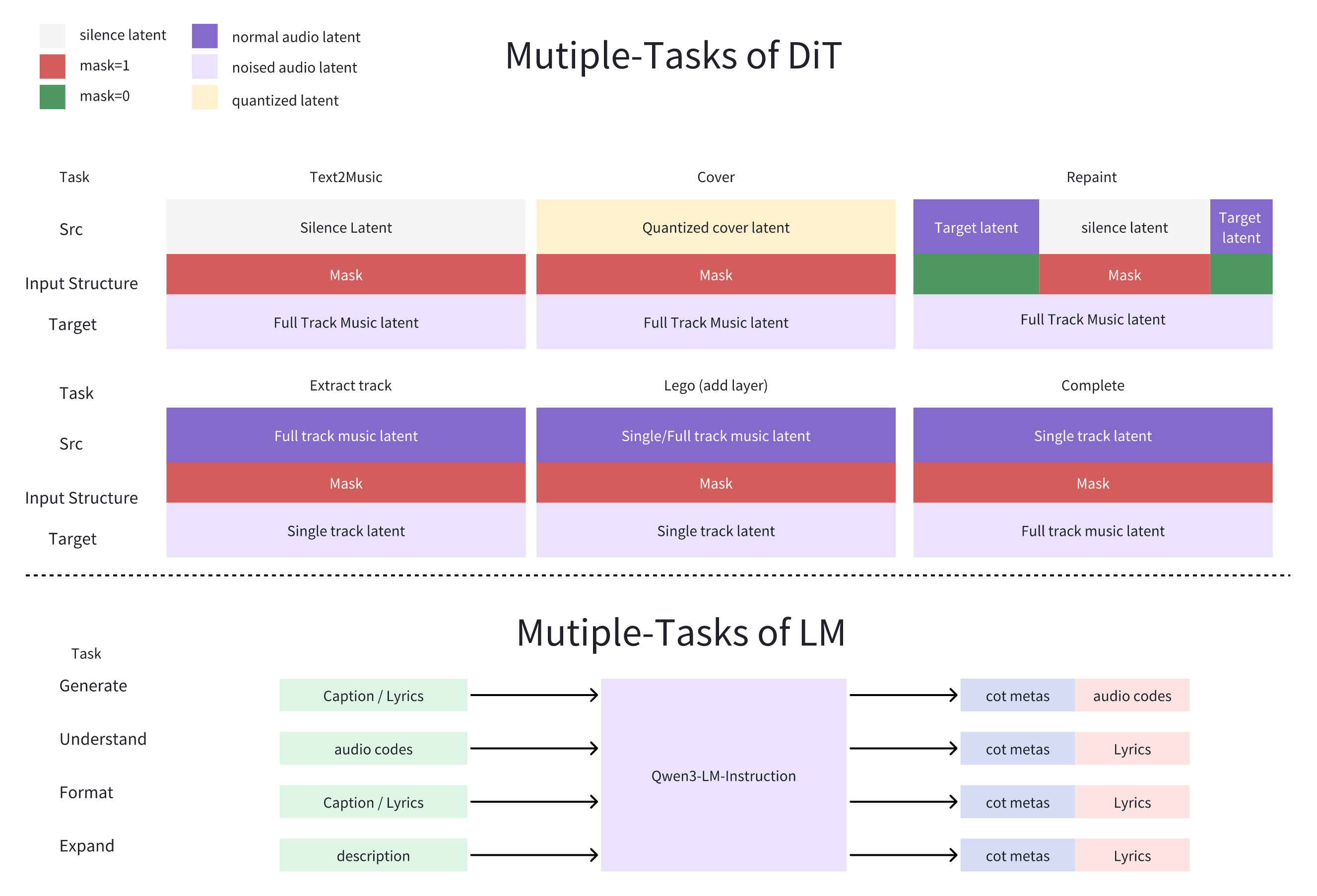
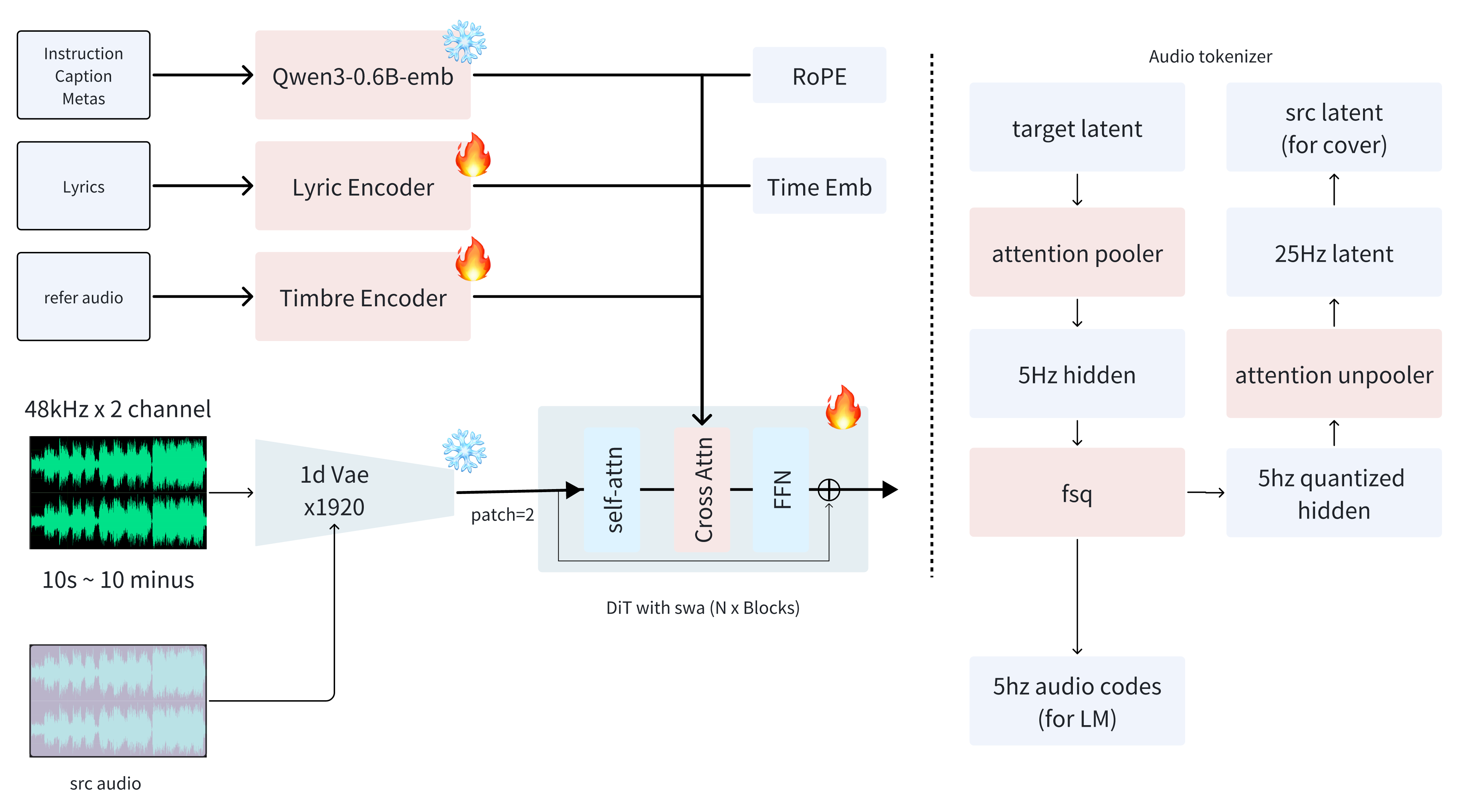
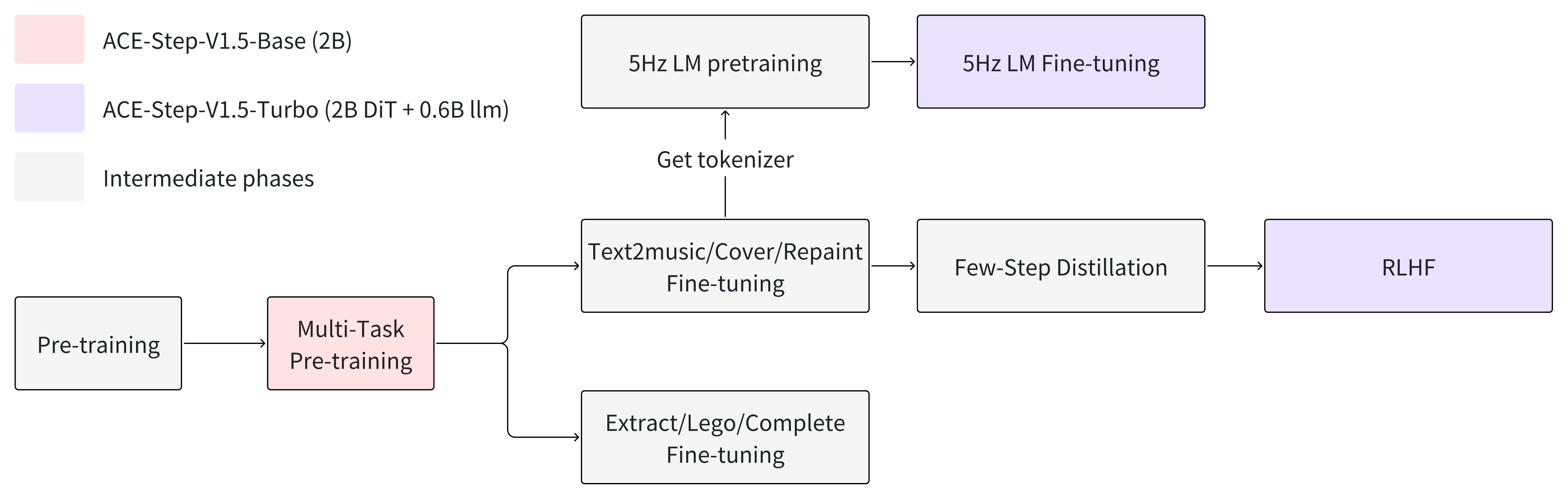
ACE-Step 1.5 is an open-source music foundation model that turns text prompts, lyrics or reference audio into complete songs, aimed at artists, producers and content creators who want studio-grade results from their own hardware. The pipeline combines a Qwen3-based language model (0.6B to 4B parameters) that drafts captions, lyrics and song metadata through chain-of-thought with a diffusion transformer (2B, or the larger 4B "XL") that synthesizes the audio. Rendering a whole track takes roughly two seconds on an A100 and under ten seconds on an RTX 3090, while DiT-only operation works with as little as 4GB of video memory. Beyond text-to-music the toolkit offers cover creation, repainting of chosen sections, vocal-to-BGM accompaniment, stem separation, multi-layer track additions, BPM/key/duration control, lyrics in more than fifty languages, automatic lyric timing, quality scoring, and one-click LoRA fine-tuning from as few as eight songs. Locally you install it with Python 3.11 or 3.12 and uv: "uv run acestep" opens a Gradio interface on port 7860, and "uv run acestep-api" serves an asynchronous REST API on port 8001; launch scripts and portable packages cover Windows, Linux and Apple Silicon (MLX), and model weights download automatically from Hugging Face or ModelScope. No Docker image is published, and a free hosted service runs at acemusic.ai.
ACE-Step alternatives
 Retrieval-based-Voice-Conversion-WebUISelf-hosted, open-source voice timbre conversion framework that trains a VC model from around 10 minutes of audio and offers a WebUI plus a real-time voice-changing GUI.CompareRetrieval-based-Voice-Conversion-WebUI with ACE-Step
 StemDeckOpen-source stem separator and practice studio for musicians: split a song into six parts locally with Demucs, then mute, slow, loop and transpose it.CompareStemDeck with ACE-Step
 AudioMuse-AIOpen-source, self-hosted sonic-analysis tool that builds playlists, a 2D music map and semantic search for Navidrome, Jellyfin, Emby, Plex, LMS and Lyrion libraries.CompareAudioMuse-AI with ACE-Step
 audio.cppSelf-hosted C++ framework running 100+ audio models locally with CUDA, Vulkan, Metal, CPU backends, built-in WebUI, no Python deps.Compareaudio.cpp with ACE-Step
 Whisper-WebUISelf-hosted Gradio web UI that turns Whisper speech recognition into an easy subtitle generator: transcribe files, YouTube links or microphone.CompareWhisper-WebUI with ACE-Step
 ComfyUISelf-hosted, open-source AI engine for visual creators with a node-based workflow system covering images, video, 3D, audio, and text.CompareComfyUI with ACE-Step
 MooshieUIA self-hosted, open-source ComfyUI front-end with guided controls for generating images, video, and music, plus a built-in web server for LAN access.CompareMooshieUI with ACE-Step
 sdnextSelf-hosted, open-source Stable Diffusion web UI to generate, caption, upscale and edit images and video, with many GPU backends and model quantization for low VRAM.Comparesdnext with ACE-Step
Should you self-host ACE-Step?
ACE-Step scores 77/100 on selfhost.directory (how scoring works) and ranks #13 of 123 in AI. It has 14 869 GitHub stars, +1 355 in the last 30 days.
It shipped 9 stable releases in the past year. The latest, v0.1.8, came out on 18 May 2026. New versions land roughly every 8 days.
Setup is moderate: expect some configuration beyond a single command. It is MIT-licensed and written mostly in Python.
Its closest alternative on selfhost.directory is Remiqora (49/100, 230 stars). ACE-Step scores higher overall. See ACE-Step vs Remiqora side by side.
Features
- Audio understanding
- Automatic quality scoring
- Batch Generation
- Cover generation
- Fast full-song generation
- Flexible duration up to 10 minutes
- LoRA training from a few songs
- LRC lyric timestamp generation
- Metadata control (BPM, key, duration)
- Multi-language lyrics (50+ languages)
- Reference audio input
- Repaint / selective audio editing
- REST API server
- Track separation (stems)
- Vocal-to-BGM conversion
ACE-Step README


More in AI
 A-EyeA self-hosted photo application that runs AI vision models on your own hardware to automatically organize and find pictures without any cloud service.
 Agent DVRSelf-hosted NVR for IP cameras with motion detection, AI object recognition, and zero-config remote access. Free for local use; paid tier unlocks cloud features.
 Agentic OrchestratorSelf-hosted AI workflow orchestrator turning feature requests into supervised engineering workflows using isolated git worktrees and multiple AI provider CLIs.
 agentlogsSelf-hosted platform capturing AI coding agent transcripts (Claude Code, Codex, OpenCode, Pi, Cline) with git commit linking, team dashboards, and secret redaction.
 agenttierAgentTier is a self-hosted Kubernetes platform providing isolated sandboxes for AI agents and developers with browser terminals and gVisor isolation.
 agentverOpen-source, self-hosted platform for managing AI coding assistant skills across teams with version control, security scanning, and access controls.
 AGmindAGMind is a self-hosted, open-source installer deploying a private RAG stack on NVIDIA DGX Spark in ~30 minutes via an interactive wizard.
 AICONAICON is a self-hosted, open-source AI video creation platform with an infinite canvas and natural-language workflow assistant for script-to-video production.
 aigne-hubAIGNE Hub is a self-hosted AI gateway for 10+ LLM providers with API key management, usage tracking, and credit billing. Built as a Blocklet.
 AI GridAI Grid is a self-hosted, open-source orchestrator that pools your computers into a single OpenAI-compatible endpoint for local LLM inference and training.
 Ailin¹ Collective IntelligenceSelf-hosted open-source engine coordinating 100,000+ AI models through 31 strategies with verifiable consensus and OpenAI-compatible API.
 AI Native Call CenterSelf-hosted open-source call center where AI agents answer every call by default, with seamless human handoff on FreeSWITCH and PostgreSQL.
0 comments